
Table of Contents

Here you will find all the essential information about the MagLab Formicarium system. This includes the basic setup, required 3D-printed parts, and magnet placement. You will also find answers to common questions and practical tips for setup, use, and expansion.
You can find this project at Makerworld. MagLab Formicarium - A magnetic modular ant nest
The Basic Components
The MagLab Formicarium consists of several core components that can all be connected to each other. With only a small number of parts, this modular design allows for many different configurations.
You can find all available components listed below. Click on the images/videos links to enlarge them.
| Part | Description | STL File | Support |
|---|---|---|---|
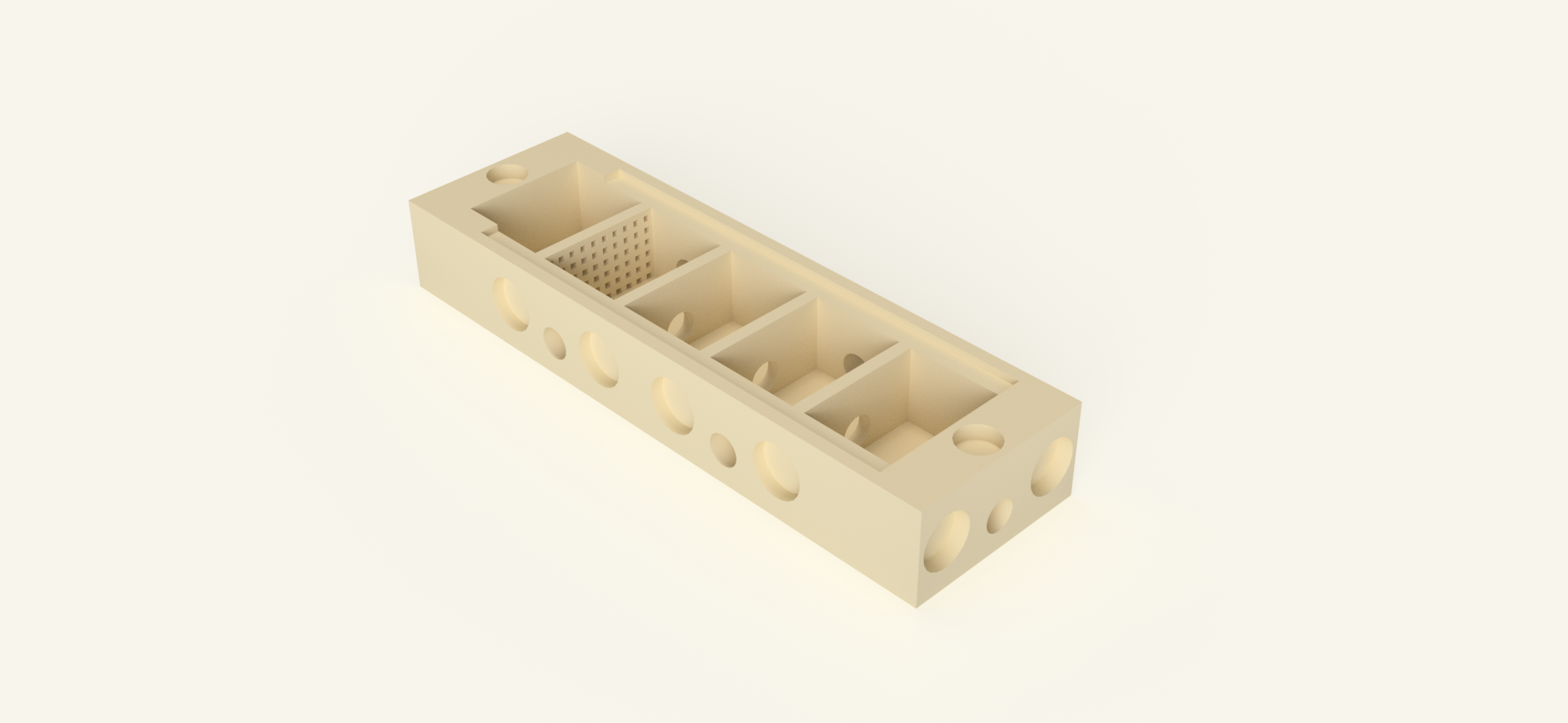 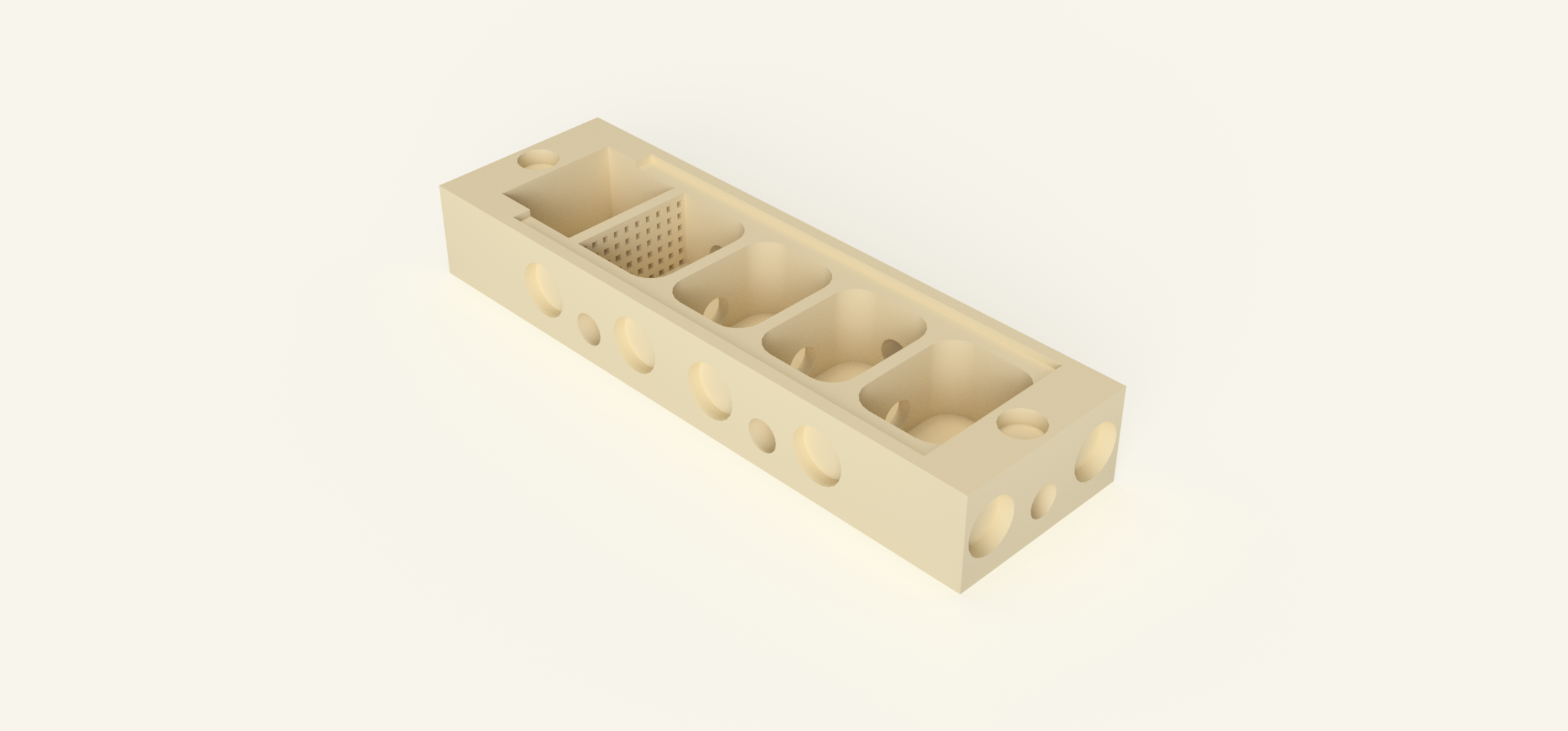 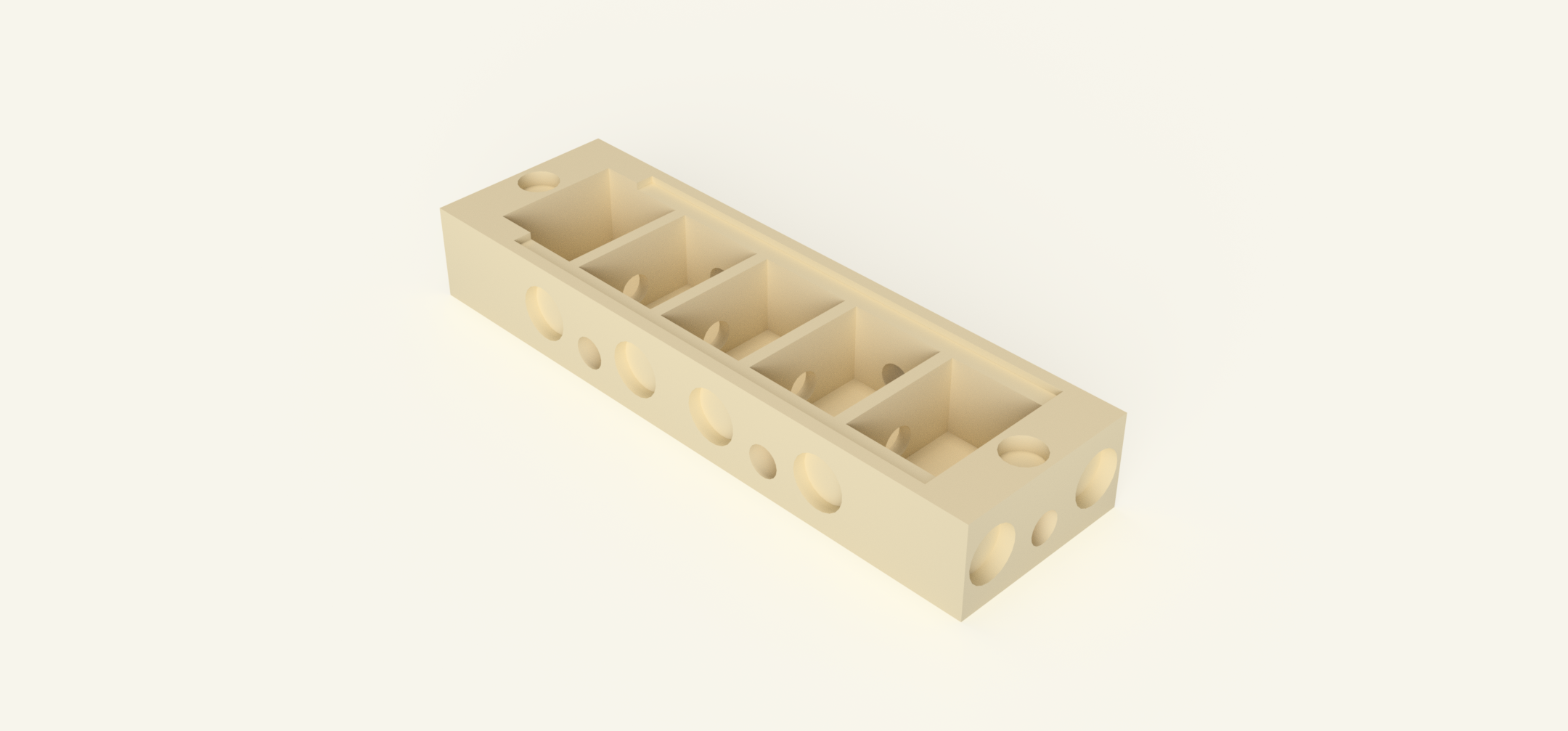 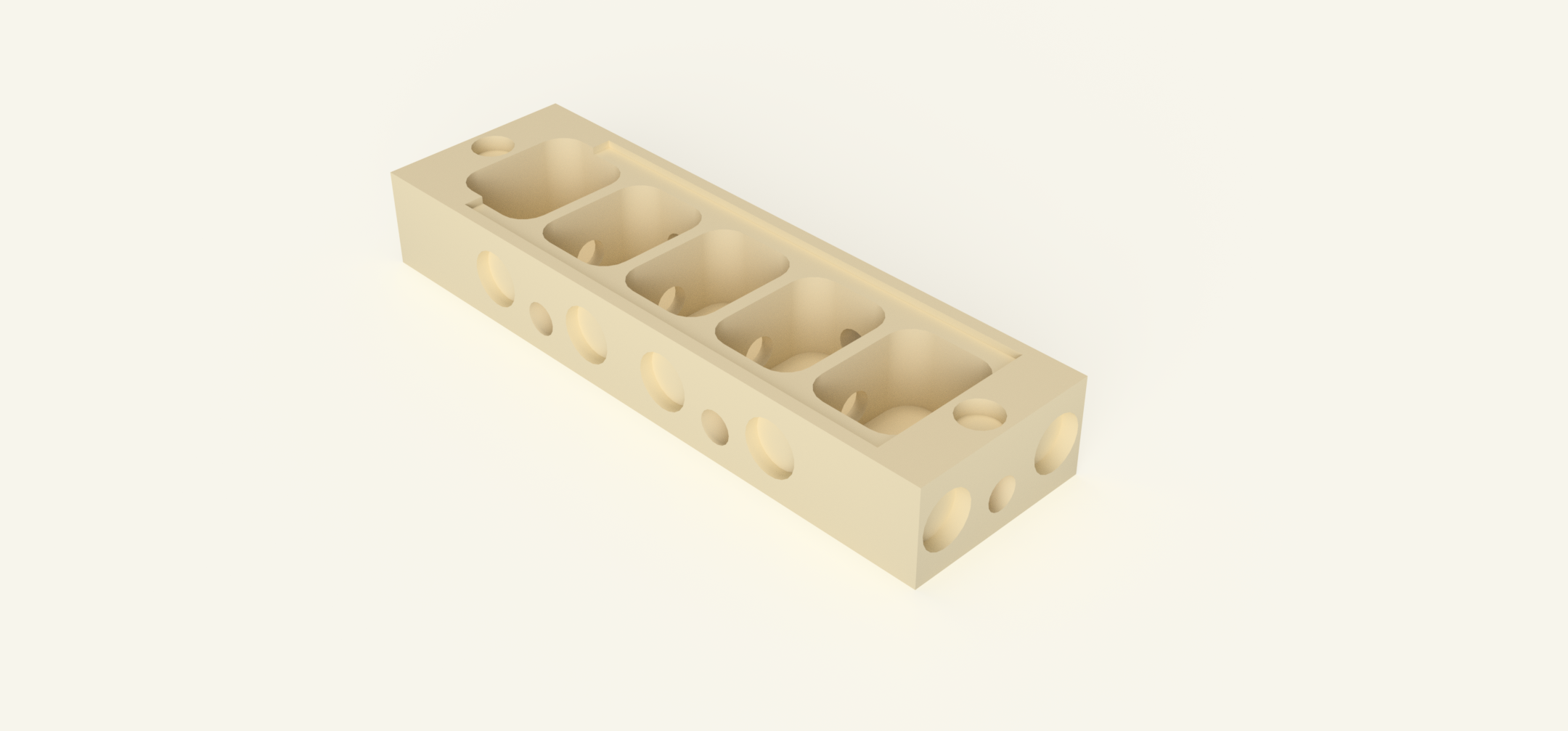 | The nest is the central living space of the ant colony. This is where the queen lives and where the ants care for their brood, including eggs, larvae and pupae. The system uses a modular nest design that can be expanded with additional printed nest modules as the colony grows. If you do not want to expand the nest further, the side connections can simply be closed using the small stoppers. The nest must be kept slightly moist. To achieve this, the rear chamber is filled with cotton wool which acts as a small water reservoir. A 2 mm hole in the lid allows you to moisten the cotton without opening the nest. The nest is available in different versions. One version is designed for ants that live in dry environments, and another version features round chambers that provide a more natural habitat for the ants. | Nest Modular.stl Nest Modular Rounded.stl Nest Modular Dry.stl Nest Modular Dry Rounded.stl | No |
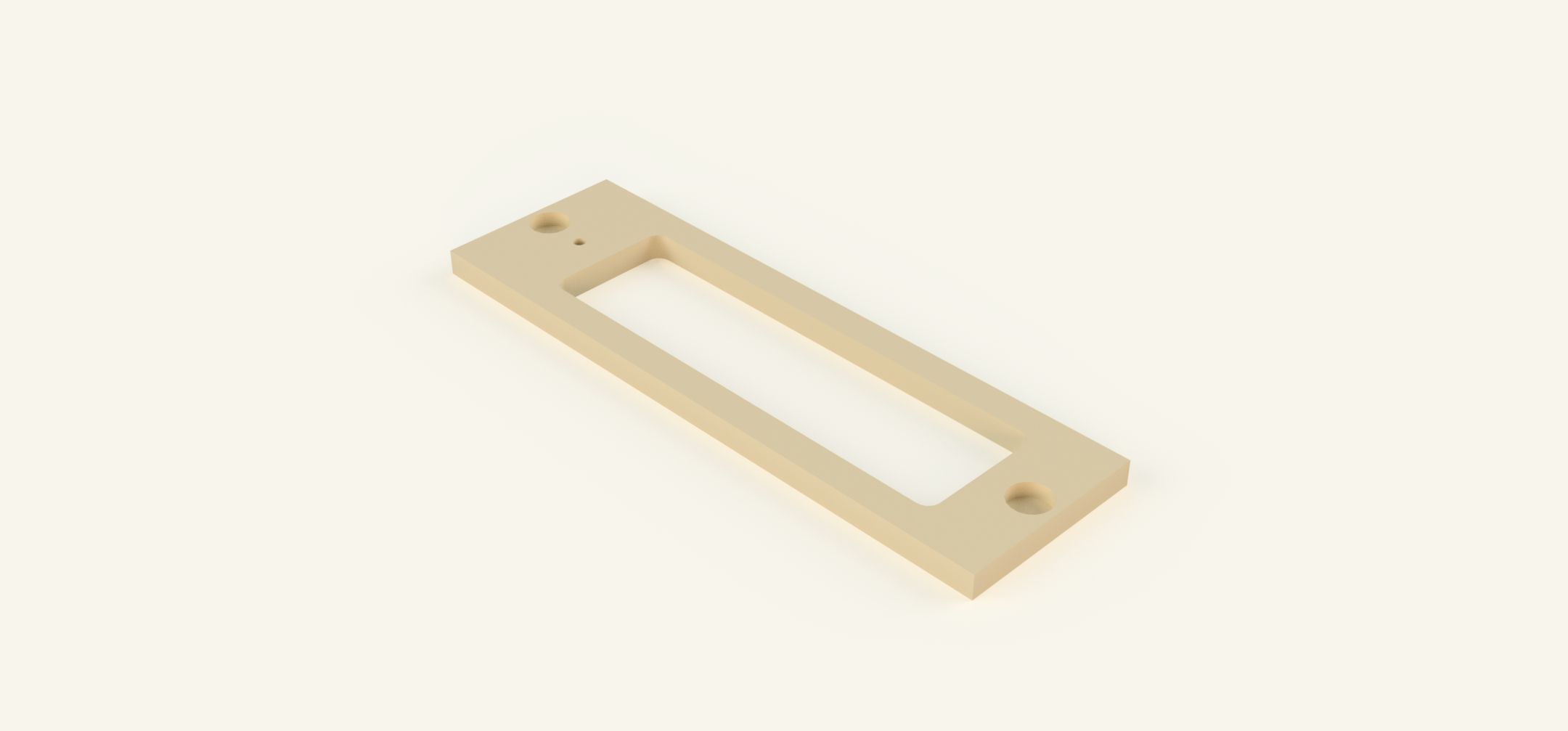 | The nest lid is designed to allow clear observation of the colony inside the nest. A microscope slide is placed on top of the nest and covered by the lid, creating a transparent window that lets you watch the ants and their brood without disturbing the colony. Unlike earlier versions, the glass slide is not embedded into the lid during printing. Instead, the lid is placed on top of both the nest and the glass slide and is held in place magnetically, securing everything firmly. This also allows you to easily remove or replace the glass at any time. This applies to all nest versions starting from April 13, 2026. The lid is available in two versions: with or without a 2 mm watering hole. The version with a watering hole allows you to moisten the cotton reservoir inside the nest without opening it, helping maintain proper humidity while minimizing disturbance to the colony. | Lid.stl Lid with Watherhole.stl | No |
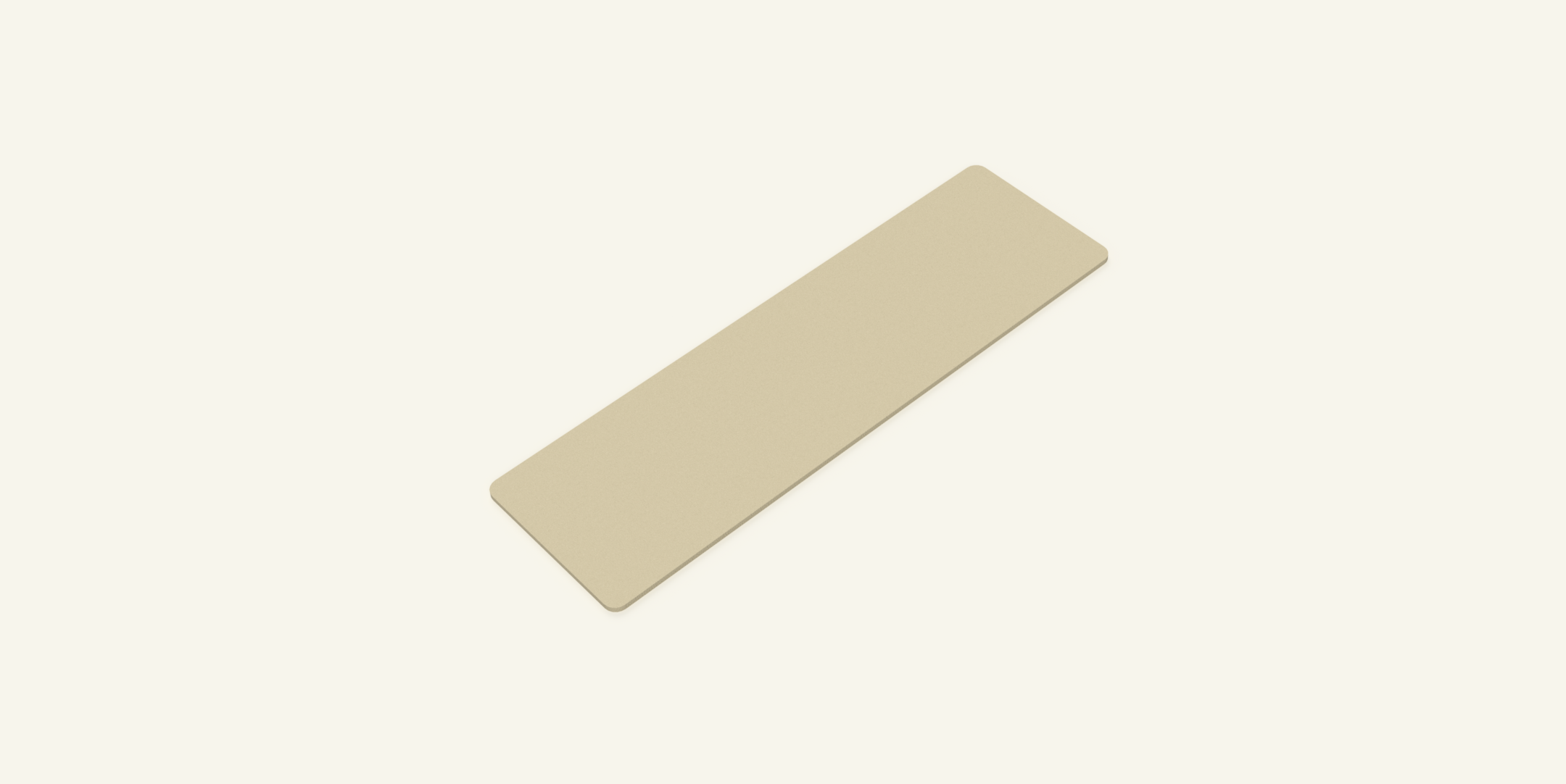 | The Nest Cover is used to darken the nest and protect the colony from direct light. It is placed directly on top of the nest and held in position by two magnets, allowing it to be easily attached or removed when observation is required. The cover helps create a darker and more natural environment inside the nest while still allowing quick access for inspection. | Nest Cover.stl | No |
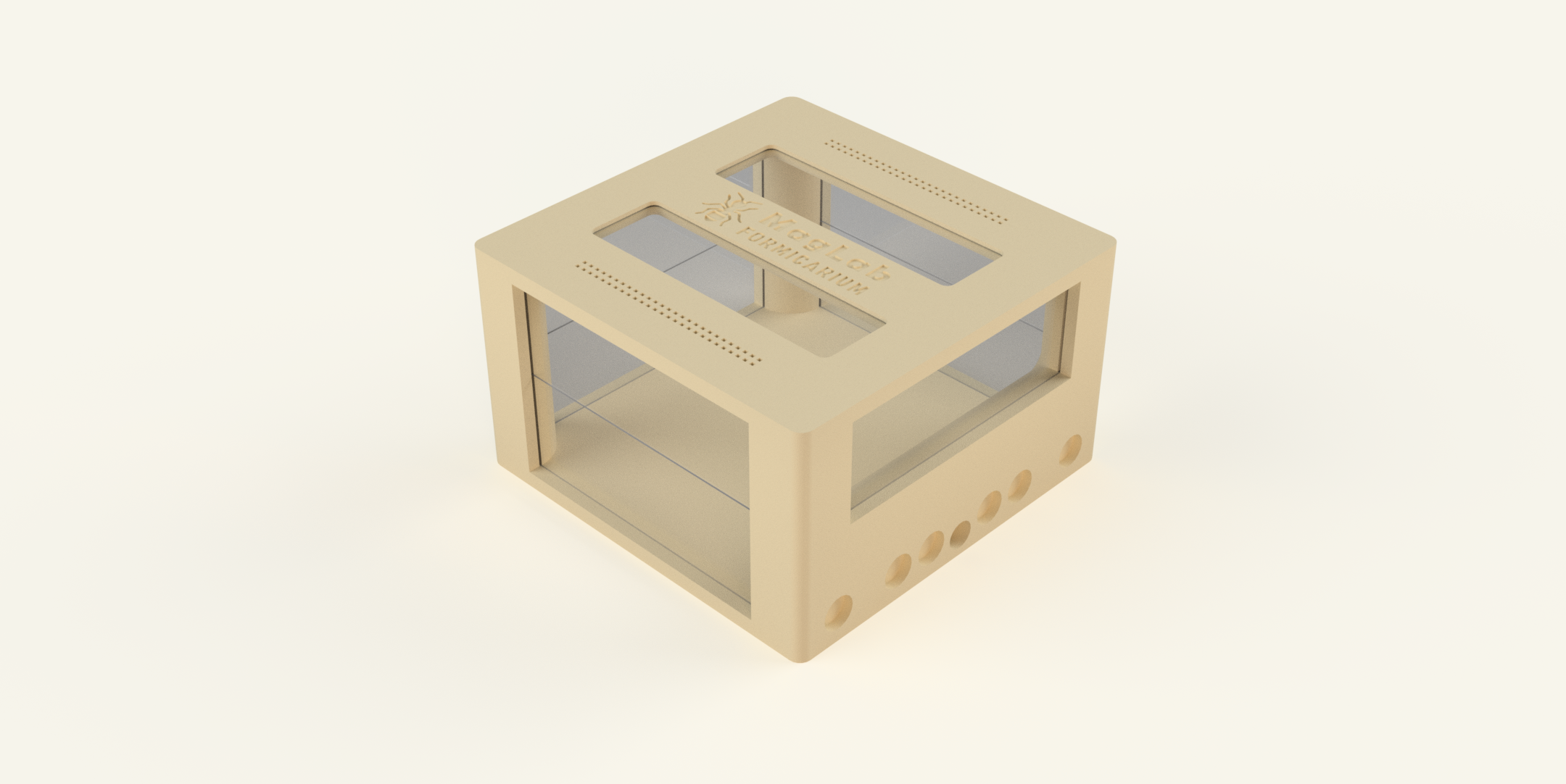 | The arena is the area of the ant farm where the ants leave the nest and interact with their environment. This is where they search for food, explore their surroundings and transport resources back to the nest. Food and water are usually placed inside the arena so the ants can collect them and bring them to the colony. The arena also serves as a space where ants can move freely and display their natural behavior. In many cases ants will also deposit waste or food remains in the arena, which helps keep the nest clean. To make cleaning easier, there is also an optional full-surface insert that can be placed inside the arena. This insert covers the entire bottom area and allows you to quickly remove dirt, waste, and food remains without having to clean the arena itself in detail. The arena is available in two versions: Small and Large. Both versions have the same base size, but they differ in height. The Large version includes an additional level of microscope glass slides, making the arena taller. | Arena Small.stl Arena Large.stl | No |
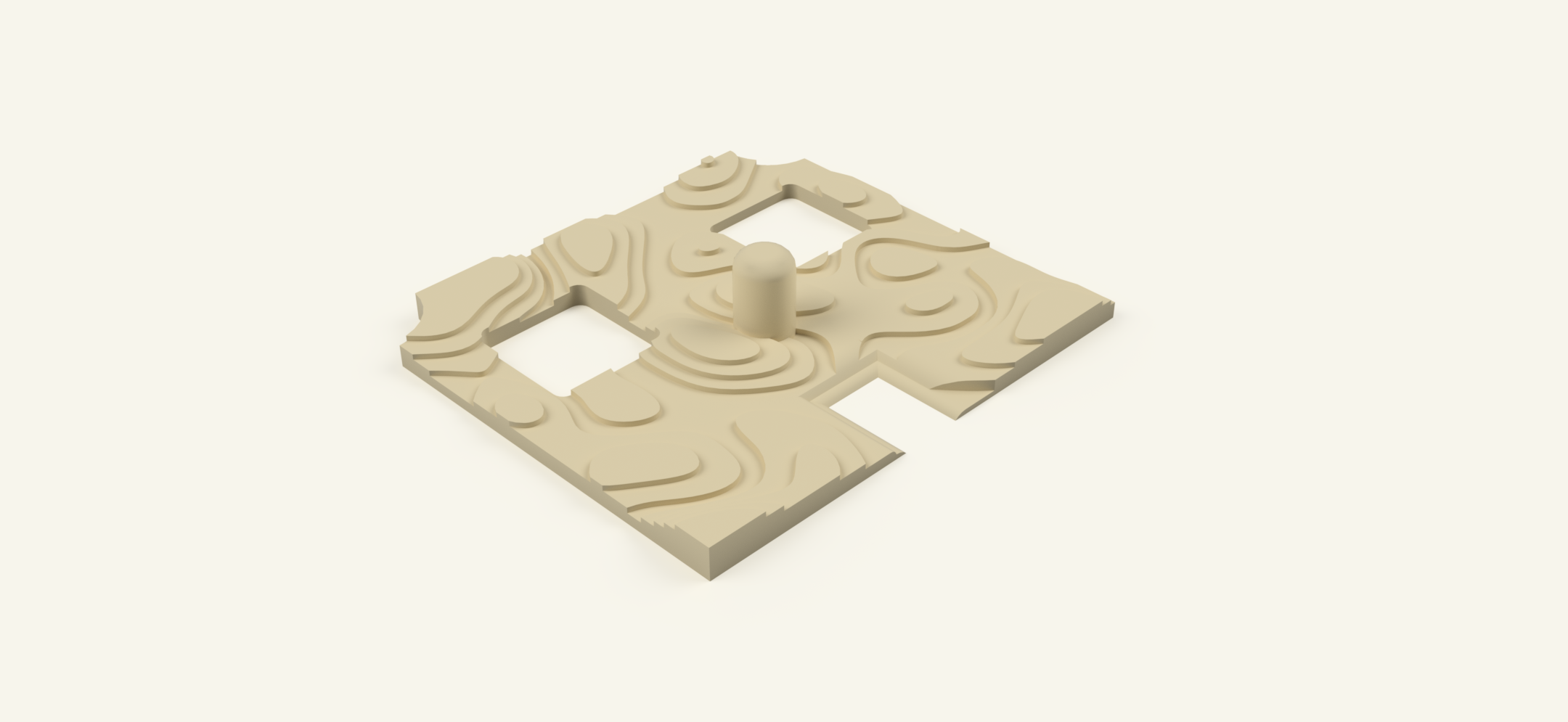 | The arena insert is an optional accessory designed to make maintenance of the arena significantly easier. It is placed directly inside the arena and covers the entire bottom surface. Instead of cleaning the arena itself, you can simply remove the insert to get rid of accumulated dirt, food remains, and waste in one quick step. This is especially useful for larger colonies or setups where debris builds up quickly, as it allows for fast and stress-free cleaning without disturbing the overall structure of the arena. The insert can be easily lifted out, cleaned, and placed back into the arena, making regular maintenance much more convenient and efficient. | Arena Insert.stl | No |
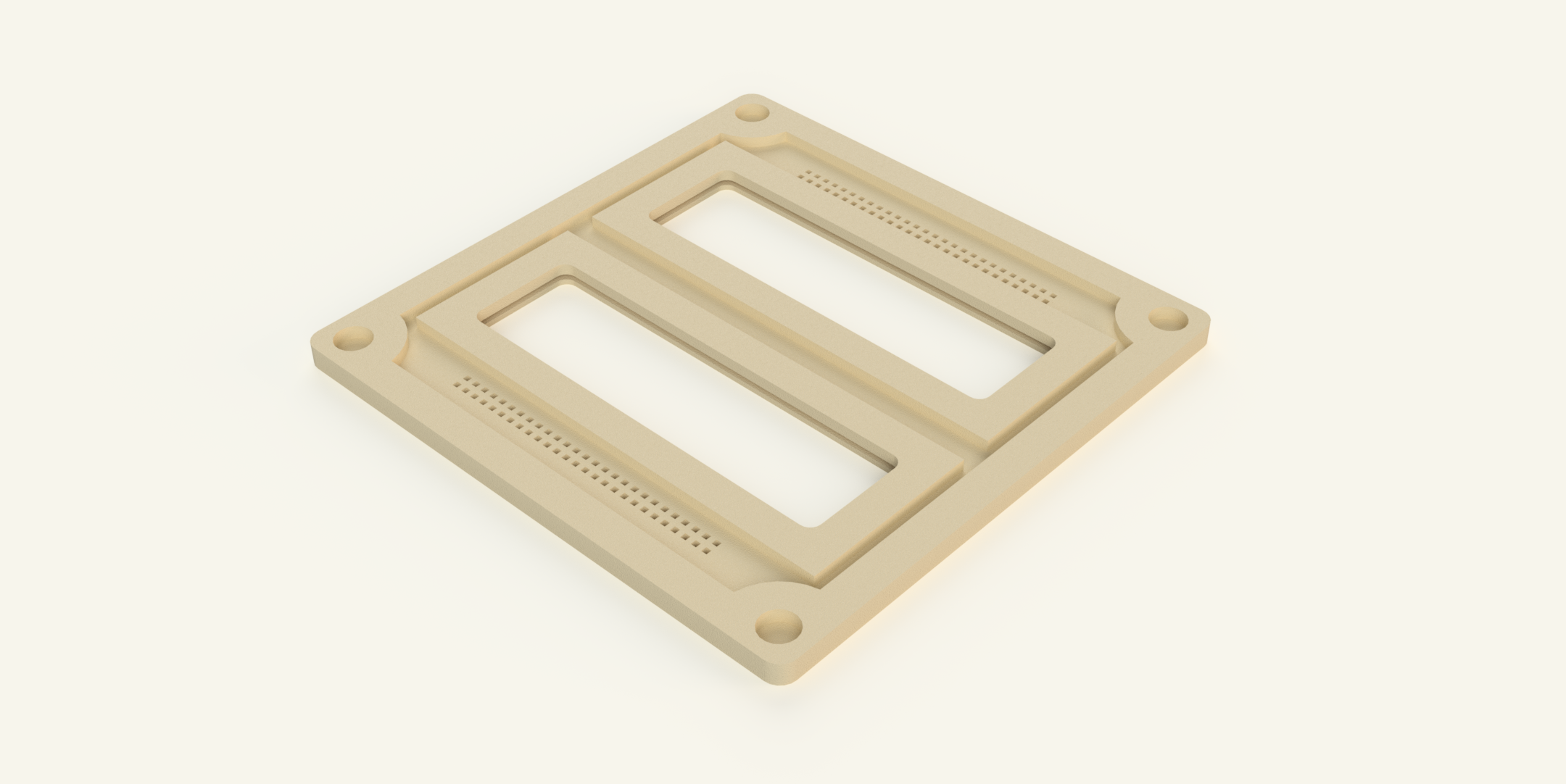 | The arena lid is designed to allow clear observation of the ants inside the arena. A microscope slide can be embedded into the lid, creating a transparent window so you can watch the ants while they explore, search for food, and interact with their environment. The glass slide is inserted during the printing process and becomes embedded directly into the lid. This makes the window stable, secure, and escape-proof. The arena lid also includes integrated ventilation holes which provide proper airflow inside the arena. The same lid design is also used for the hub, allowing consistent visibility and airflow across the system. Several lid versions are available: Embedded glass version - The microscope slides are inserted during printing and become part of the lid. No-glass version - A simplified version for users who prefer not to insert microscope slides during the print. Logo and non-logo versions - The glass version is available both with branding (logo) and without branding. Recesses Version - This version also has recesses in the lid in case the glass slides are taller than the arena. Only Placed version - In this version, three microscope slides are simply placed into recessed slots on top of the lid instead of being embedded during printing. For more information about how the glass slides are inserted during printing, see the section “Insert the microscope slides into the lids” below. | Arena & Hub Lid.stl Arena & Hub Lid with Recesses.stl Arena & Hub Lid MagLab Logo.stl Arena & Hub Lid No Slides.stl Arena & Hub Lid No Slides & with Recesses.stl Arena & Hub Slides only Placed.stl | No |
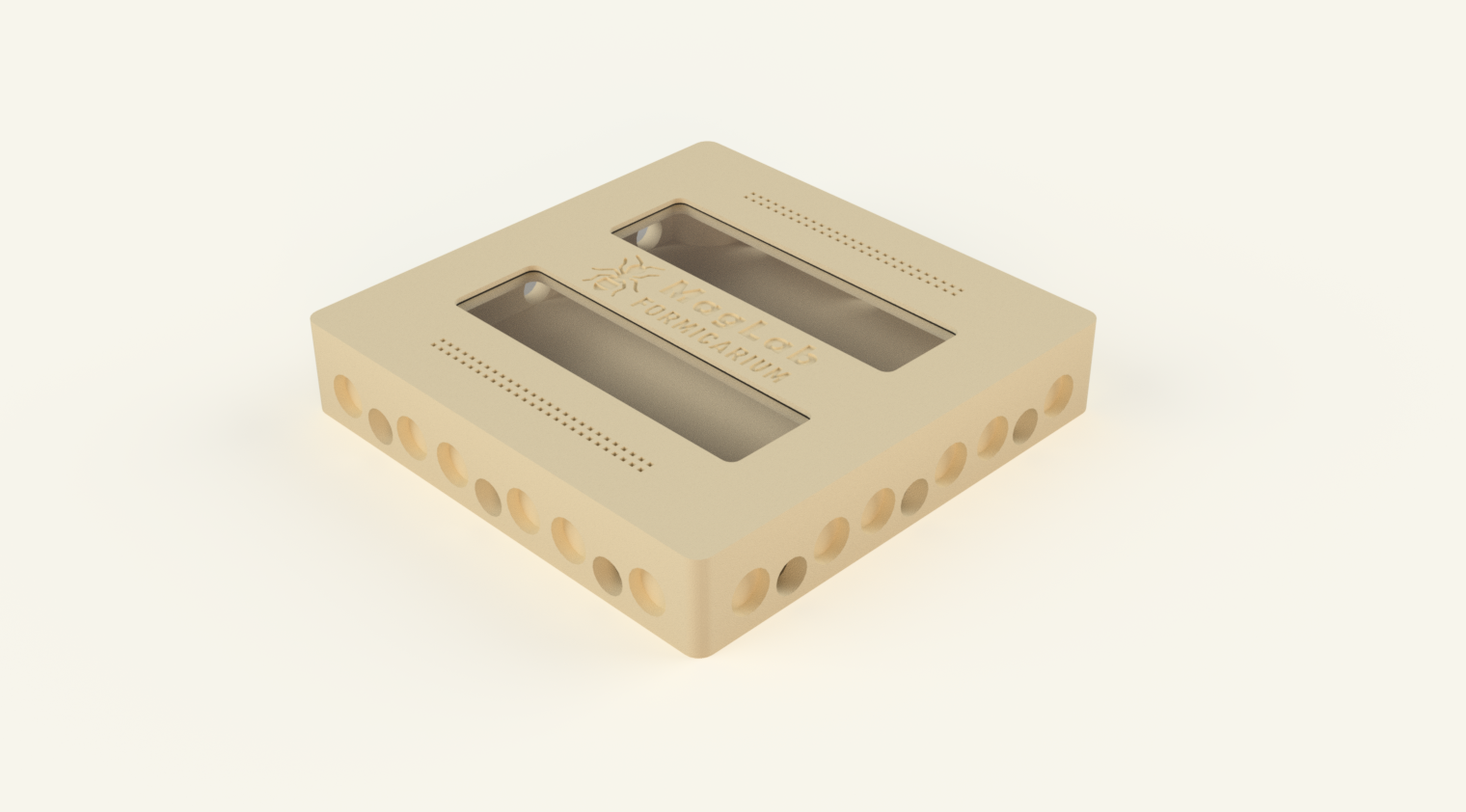 | The hub is the central heart of the MagLab Formicarium system. It is the element that makes the modular concept truly possible. Through the hub, multiple modules can be connected and expanded in different directions. Nests, arenas, and other elements can be attached at any time, allowing the system to grow step by step with your colony. Because new modules can always be added to the hub, the system is not limited to a fixed layout. Instead, it gives you the freedom to expand and adapt your formicarium almost indefinitely as your colony develops. | HUB.stl | No |
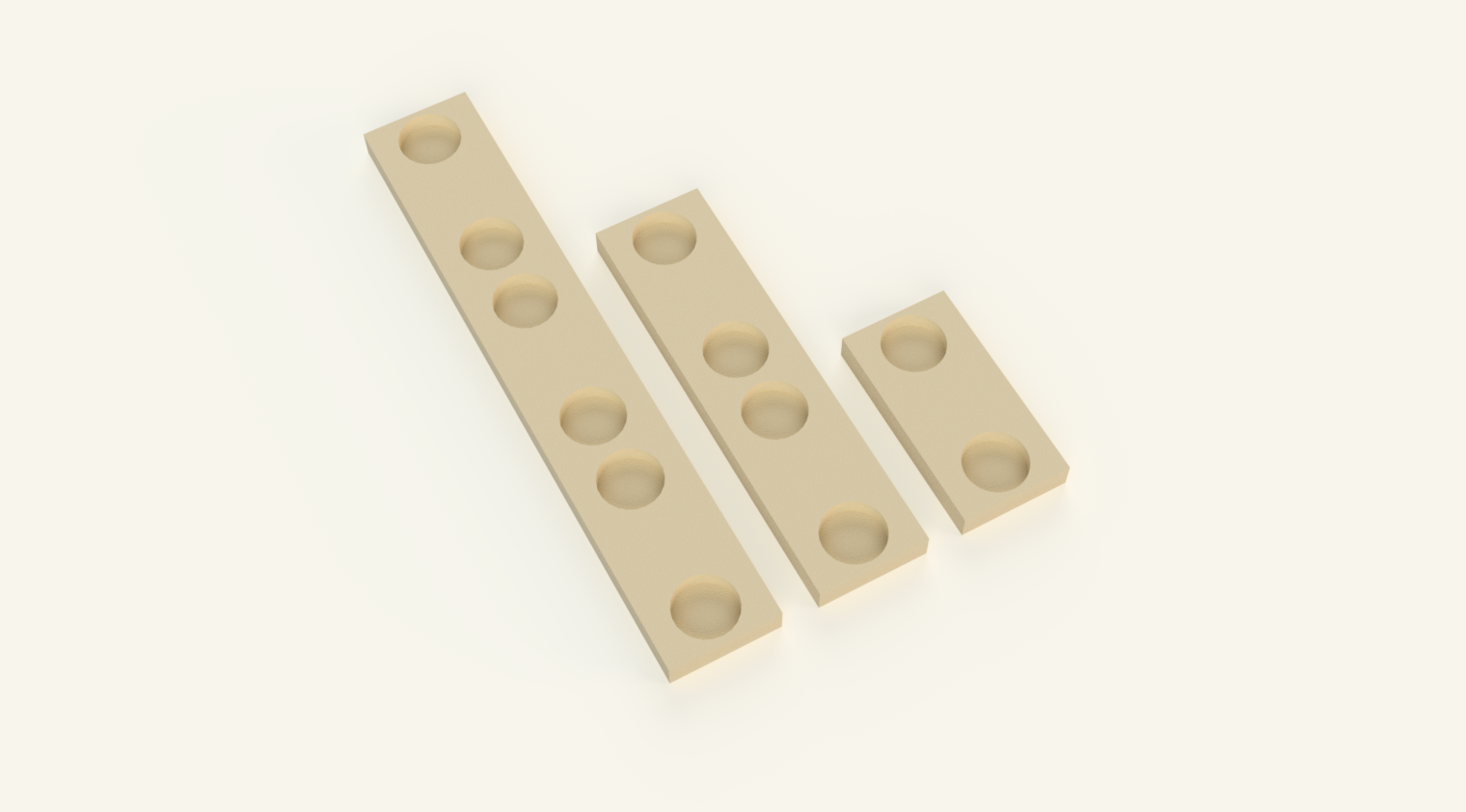 | Stoppers are simple closing pieces used to seal unused openings in the system. They are placed on connectors where no module is attached. They can be used to close tunnels, connection ports, or the small water opening on the back of the nest. This keeps the system sealed and prevents ants from escaping. There are three different types of stoppers in the system: Small stopper Used to close the side openings of the modular nests. Medium stopper Used to close the rear opening of the nest where the water port is located. Large stopper Used to seal larger openings on the hub, for example unused side ports. | Stopper S.stl Stopper M.stl Stopper L.stl | No |
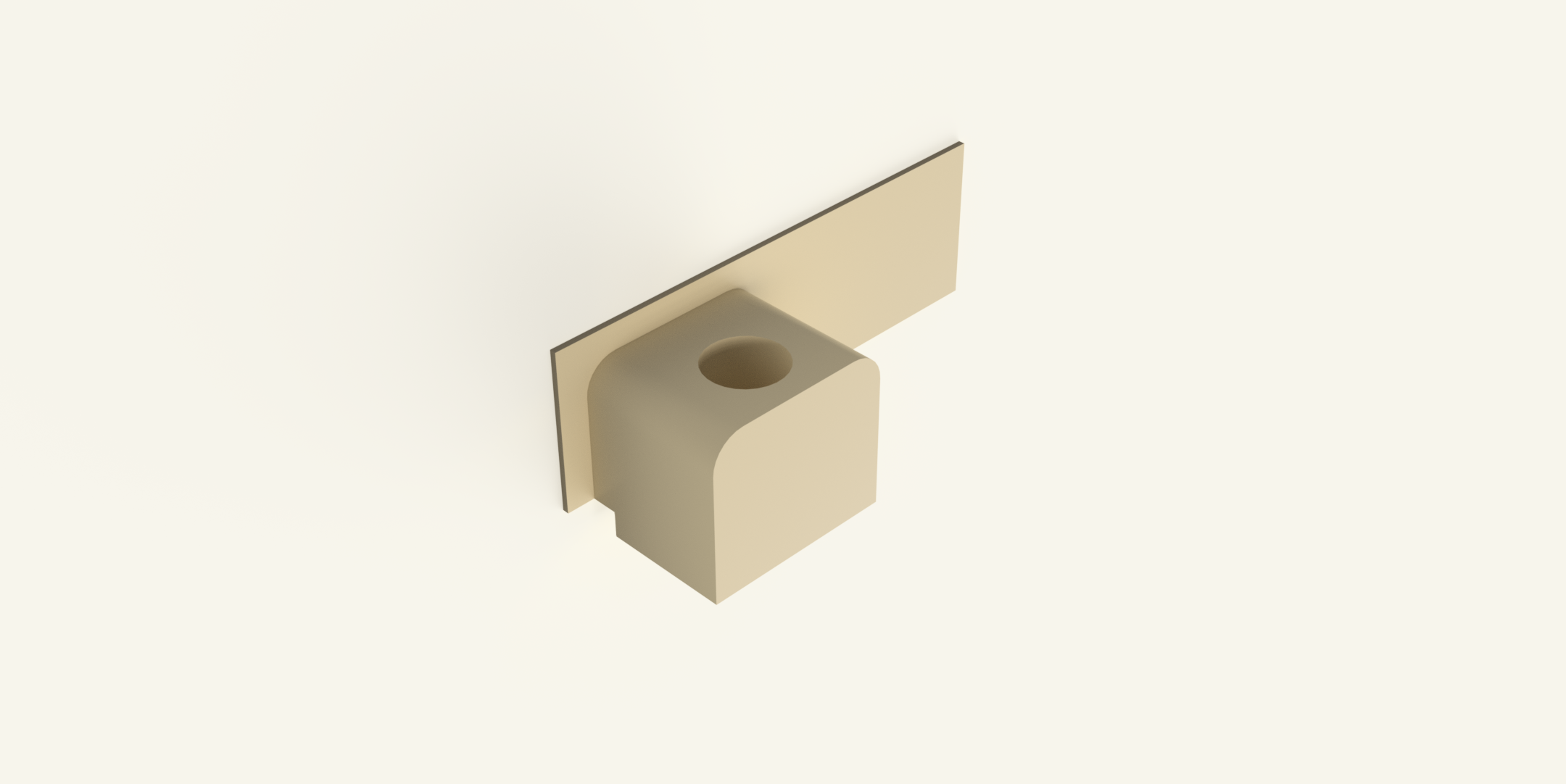 | The Arena Service Port replaces one of the microscope slides in the arena wall and adds an external connection for a water supply. The part has the same thickness as a standard 25 × 76 mm microscope slide and is inserted into the arena exactly like the glass panels. When installed, it replaces one glass panel on the side of the arena. A small tube can be connected from the outside, allowing water to be refilled or replaced without opening the arena. This makes maintenance easier and reduces the risk of ants escaping during servicing. Because the module is inserted into the existing glass slot, no modifications to the arena are required. The arena can still be used normally with standard glass panels if the service port is not needed. The module is available in multiple variants to accommodate different test tube sizes, including diameters of 11.5 mm, 12 mm, and 16 mm. | Arena Service Port 11,5 mm.stl Arena Service Port 12 mm.stl Arena Service Port 16 mm.stl | Yes |
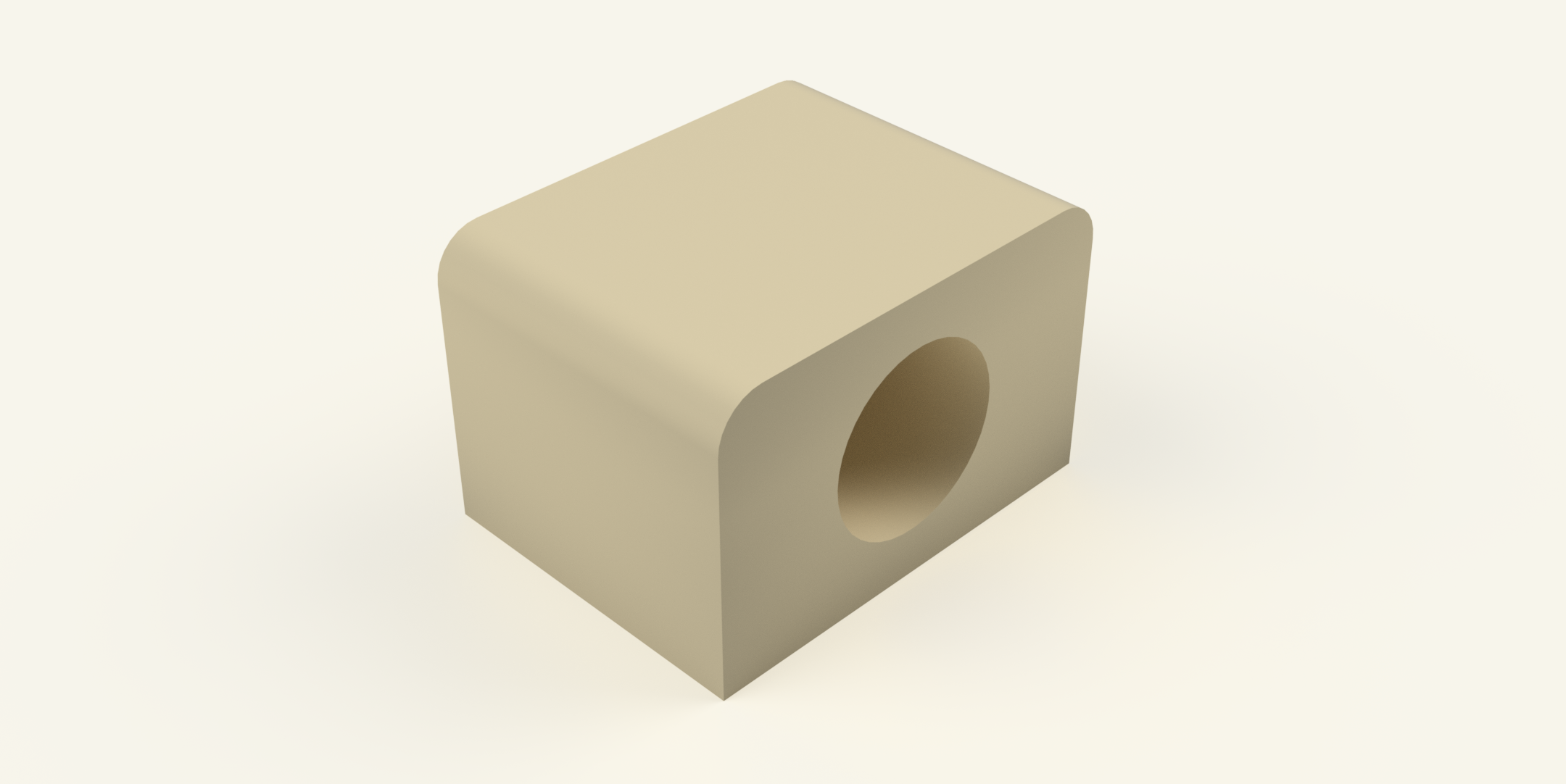 | The Test Tube Holder allows a test tube to be easily connected to the formicarium system. The holder attaches magnetically to the system, for example to the hub, and securely holds the test tube in place. Simply insert the test tube into the holder and connect it to the system. This allows the test tube to function as an additional nest space or temporary housing while remaining fully integrated into the modular setup. The holder is available in multiple sizes to fit different test tube diameters. | 18 mm Test Tube Connector.stl 16 mm Test Tube Connector.stl 15,5 mm Test Tube Connector.stl 15 mm Test Tube Connector.stl 12 mm Test Tube Connector.stl 11,5 mm Test Tube Connector.stl | Yes |
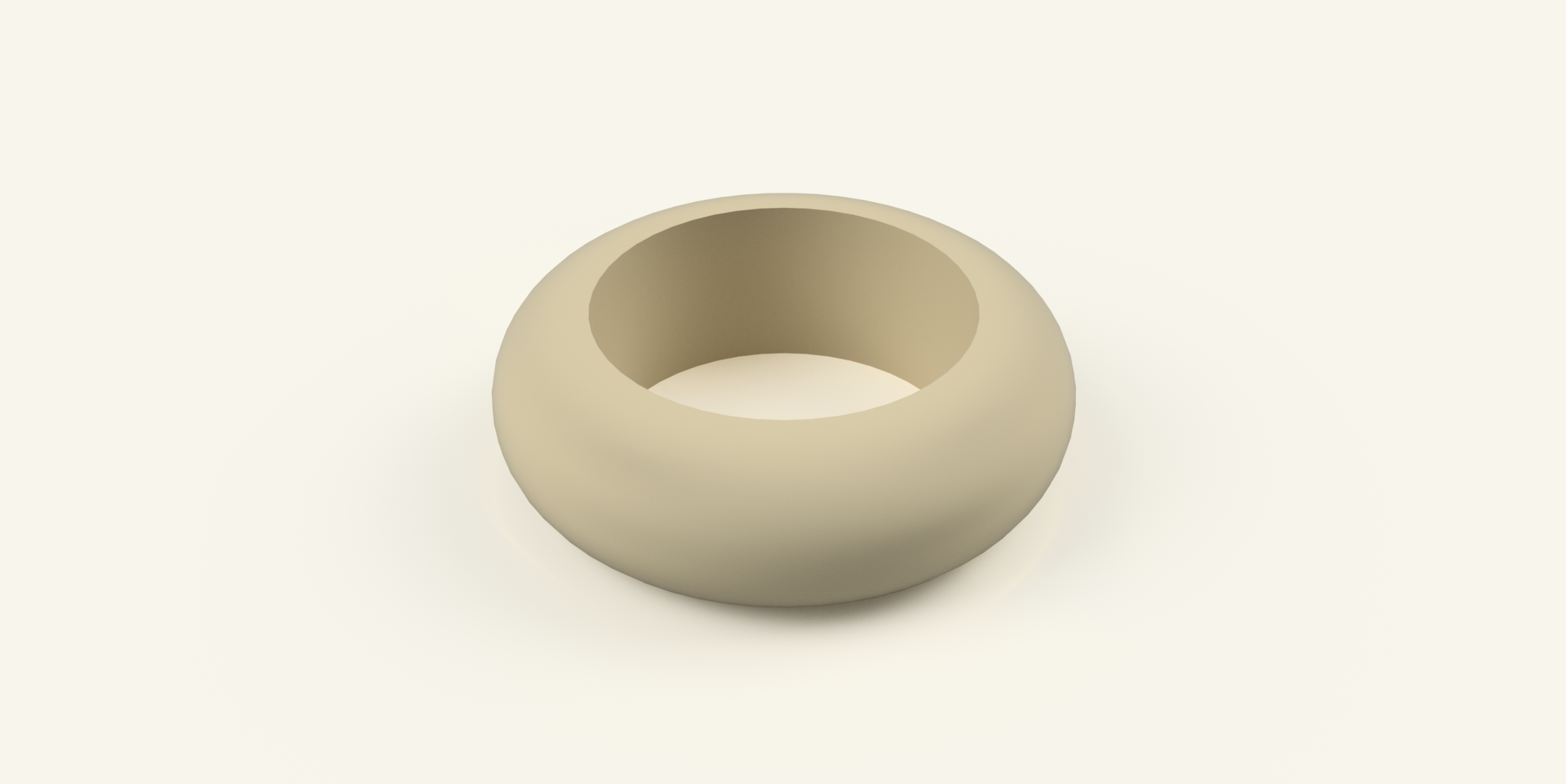 | The Test Tube Ring is placed onto the back end of a test tube. It fills the space between the test tube and the supporting surface, ensuring that the test tube does not hang in the air at the back. This creates proper support and stabilizes the tube when it is placed on a flat surface or inside the system. This helps keep the test tube stable and properly aligned. | 18 mm Test Tube Support.stl 16 mm Test Tube Support.stl 15 mm Test Tube Support.stl 12 mm Test Tube Support.stl 11,5 mm Test Tube Support.stl | No |
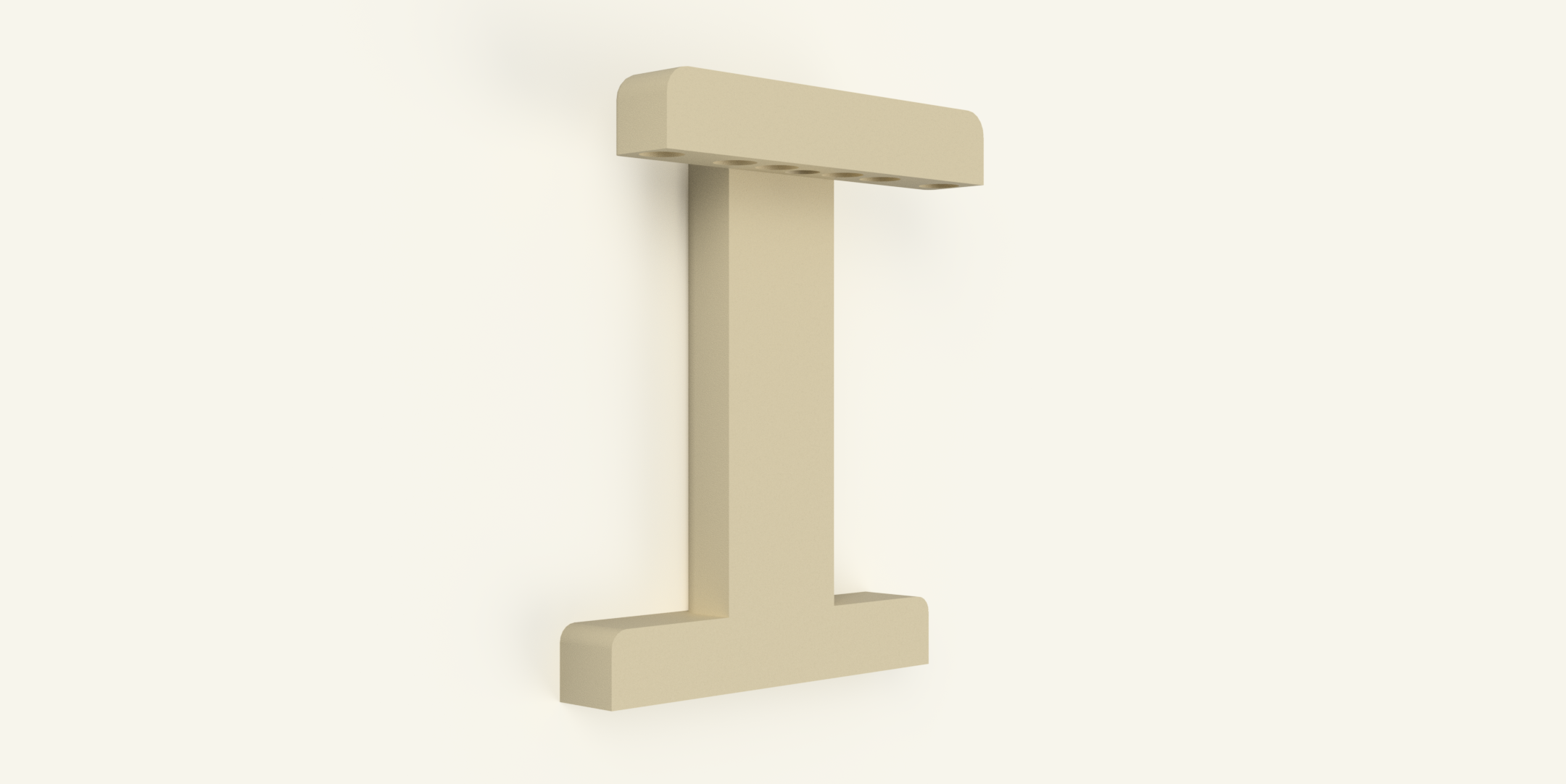 | The Nest Vertical Adapter is used to change the orientation of a nest module from a horizontal position to a vertical connection. This allows nests that are normally placed horizontally to be connected to vertically oriented components such as the MagLab Hub or the Arena. | Nest vertical Adapter.stl | Yes |
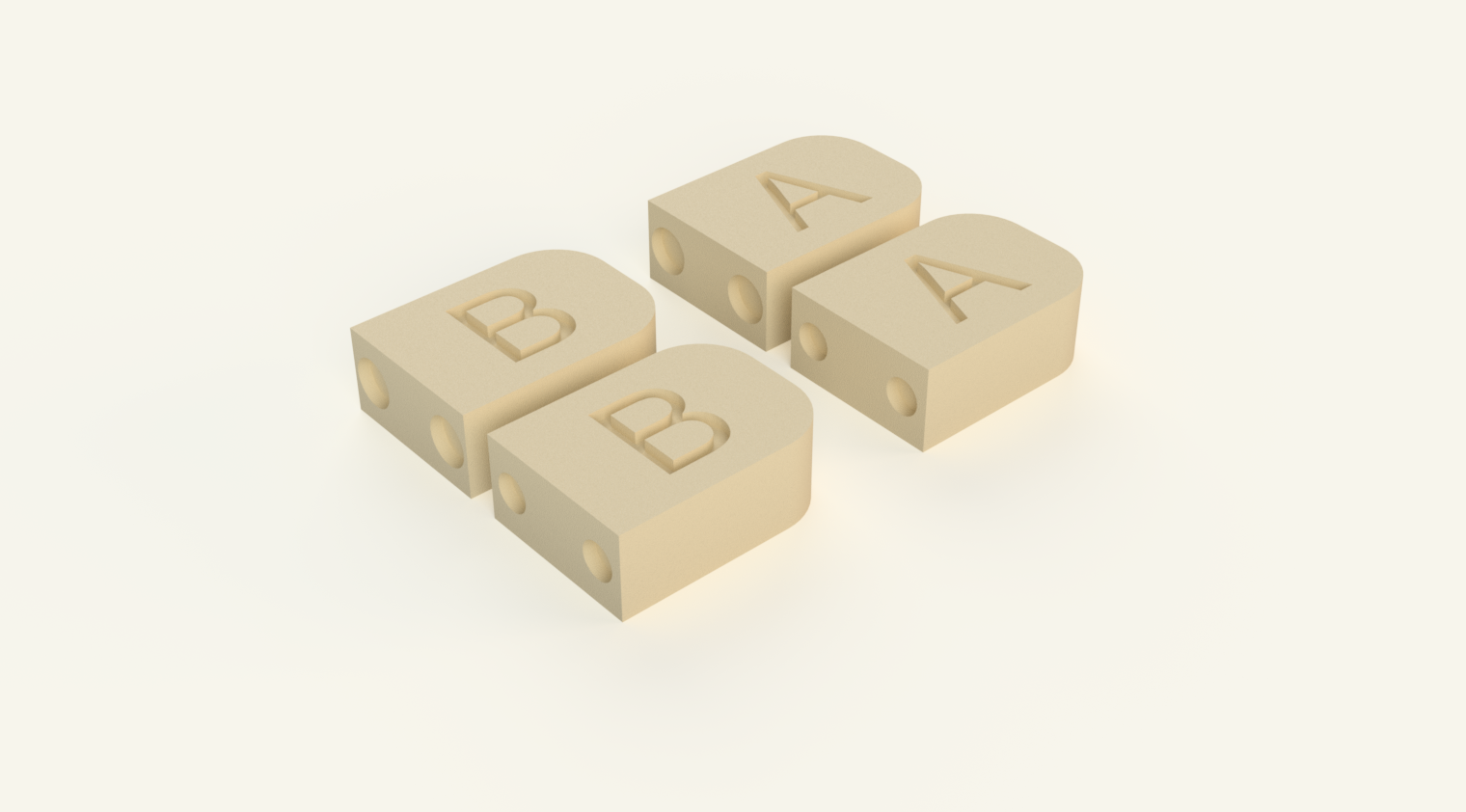 | The magnet alignment tool helps you insert magnets with the correct polarity. This ensures that all modules attract each other instead of repelling, which is essential for the system to work properly. Using this tool makes the assembly process much easier and prevents mistakes when installing the magnets. You can download the magnet alignment tool on Makerworld | MagTool A 6mm.stl MagTool A 8mm.stl MagTool B 6mm.stl MagTool B 8mm.stl | No |
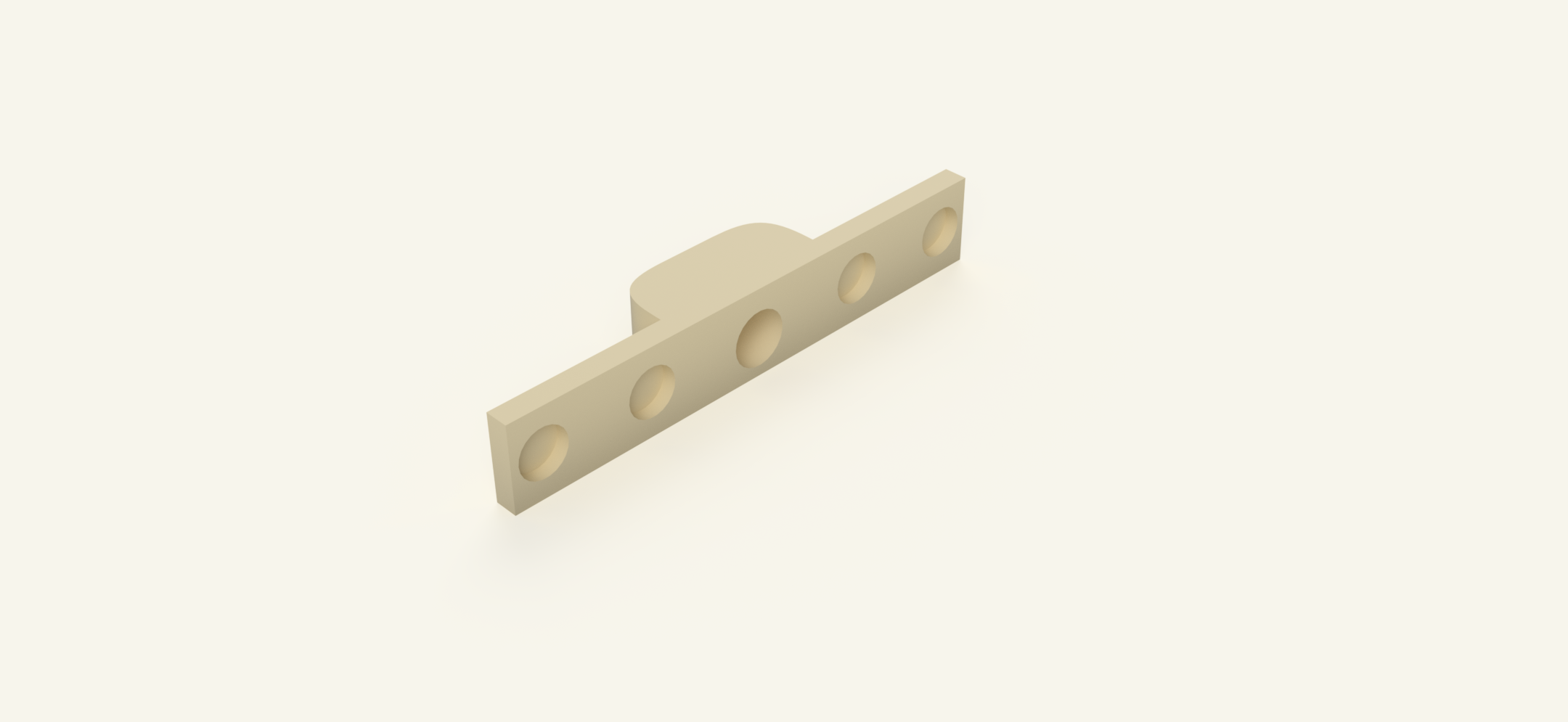 | This adapter connects the Lab Ants project with the MagLab Formicarium. | Adapter Lab Ants to Maglab.stl | No |
Basic Set – Required Materials
The following list shows the materials required to build a basic MagLab setup consisting of:
- 3 Nest Modules
- 1 Nest Hub (Optional)
- 1 Arena S (Small)
Magnets
- 100 × Neodymium magnets (8×2 mm) Buy it on Amazon
- 30 × Neodymium magnets (6×2 mm) Buy it on Amazon
Microscope Slides
The total number of microscope slides depends on the arena size you choose. The counts below already include the slides required for the nest modules.
- 14 × Microscope slides when using Arena S Buy it on Amazon
- 18 × Microscope slides when using Arena L Buy it on Amazon
Filament
- Approximately 250 g of filament (about 25% of a 1 kg spool)
This includes all printed components for the nests, hub, and arena.
For my prints, I used Bambu Lab Matte Dessert Tan PLA, which gives the parts a particularly nice sand-like texture and natural appearance.
Tubing (SKÅDIS wall setup)
If you plan to use the SKÅDIS wall-mounted version, you will also need:
- Approximately 2 meters of transparent PVC tubing 8 mm diameter
This tubing is used to connect the nest modules to the Nest Hub and the Arena.
Quick tip
If you purchase 200 neodymium magnets (8 mm and 6 mm), a pack of 100 microscope slides, and one spool of filament, you will be well equipped to build the basic setup and still have spare parts for future expansions.
Print the parts
Before printing the parts, it is important to make sure that your printer is properly calibrated. This project uses fairly tight tolerances, so correct printer calibration and properly calibrated filament profiles are essential for a good fit.
All parts shown in the images were printed using a 0.4 mm nozzle. Some users may prefer using a 0.2 mm nozzle for higher detail or slightly more precise tolerances. However, printing with a 0.4 mm nozzle works perfectly fine and was used for the entire project.
For best results, it is recommended to print all parts (except the vertical adapter) using the pre-configured layer height of 0.10 mm, as set in the provided slicer profile. While it is technically possible to increase the layer height to 0.20 mm manually, this is not recommended, as it may lead to tolerance.
Although all parts were successfully printed at 0.20 mm layer height during development, this was done on a very well-calibrated printer. If you want reliable and consistent results, especially regarding fit and precision, it is safer to stick with 0.10 mm layer height.
Most parts can be printed without supports, but a small number of components do require supports due to their geometry. Please refer to the parts table, where it is clearly indicated in the last column whether supports are required for a specific part.
To make printing easier, a ready-to-use print profile is provided. You can open it directly from MakerWorld by clicking “Open in Bambu Studio”. The print file is already configured, so you can simply load it and start printing.
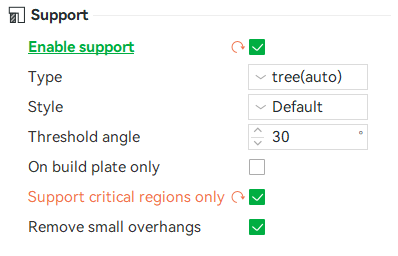
Important: In the provided print profile, supports are disabled by default, since the majority of parts do not require them. If a part requires supports according to the parts table, you need to enable supports manually in the slicer settings on the left side, as shown in the image. Supports should only be enabled for the specific parts that require them.
Insert the microscope slides into the lids
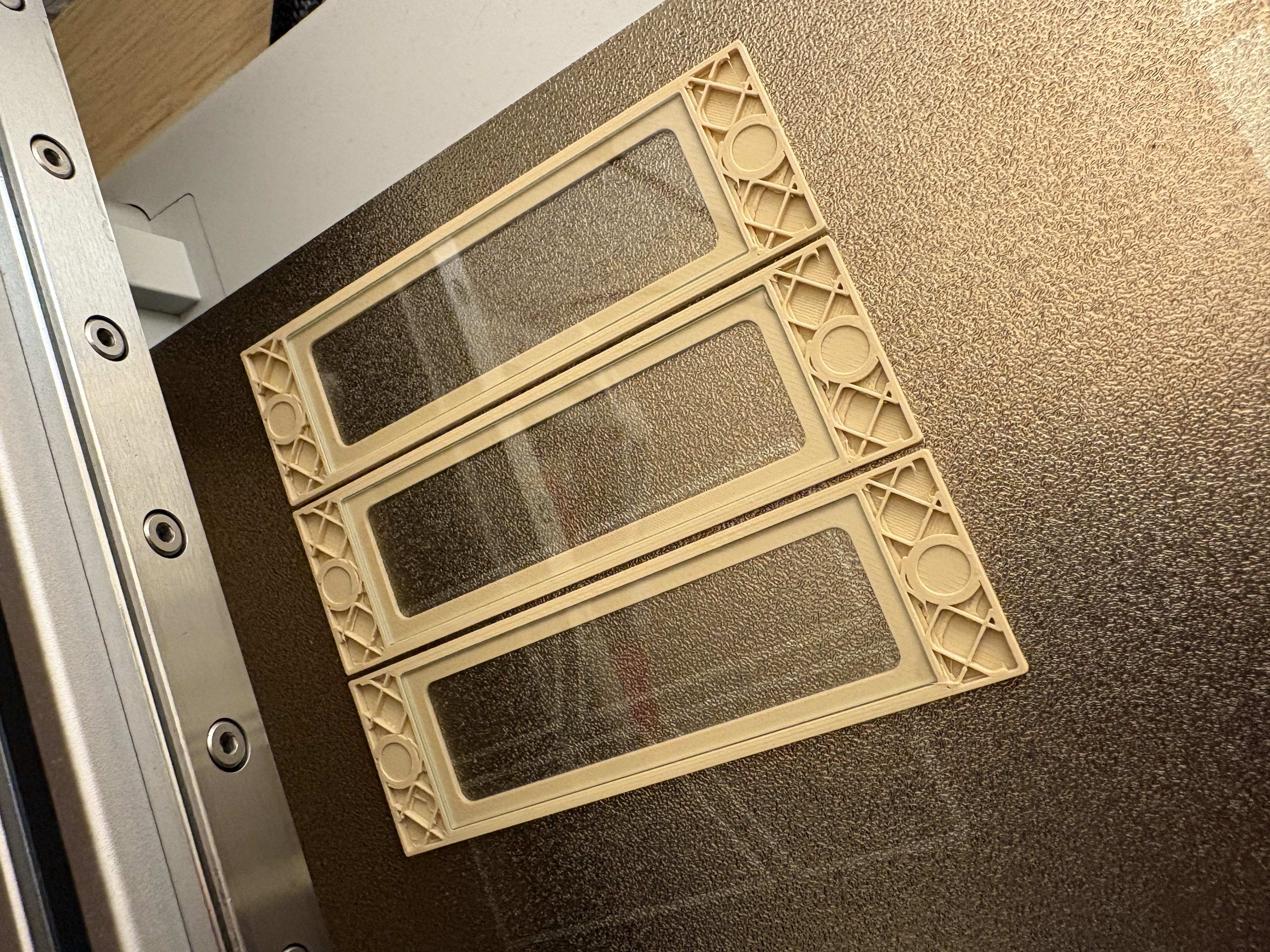
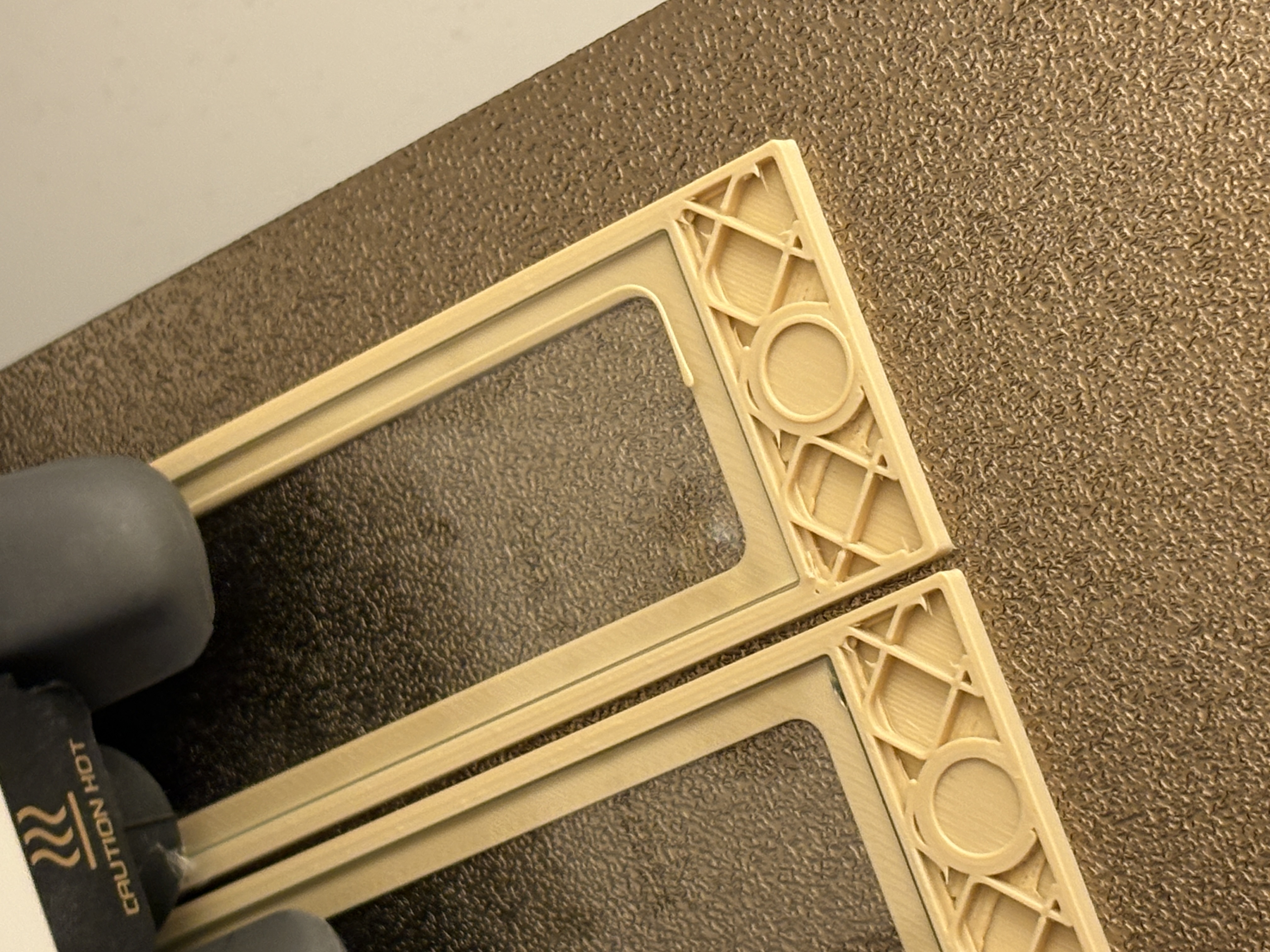
For the nests, microscope glass slides are not embedded during printing. Instead, they are simply placed on top of the nest structure, and the lid is put over them. This makes handling very easy and allows you to remove or replace the glass at any time. This applies to all nest versions starting from April 13, 2026.
For the arena, however, the design uses embedded microscope slides for maximum stability and to ensure an escape-proof seal.
What may sound complicated is actually very simple. The print profiles are configured so that the printer automatically pauses during the print. At this moment, the print head moves to the side, allowing you to easily place the microscope slides into the designated recesses in the lid.
After inserting the glass, simply resume the print. The printer will continue and seal the slides into the lid by printing the remaining layers over the edges of the glass.
In my prints, the pause occurs at layer 20, which works very well. However, depending on your printer calibration and tolerances, layer 21 or 22 may be more suitable. If the filament does not adhere well to the microscope slides, you can adjust the pause layer manually in your slicer.
If you prefer not to embed the slides at all, there is also an alternative arena version without embedded glass.
Note: You can also watch the video, where the process is demonstrated and where it is explained how to manually set the pause layer in the slicer.
Setup Examples
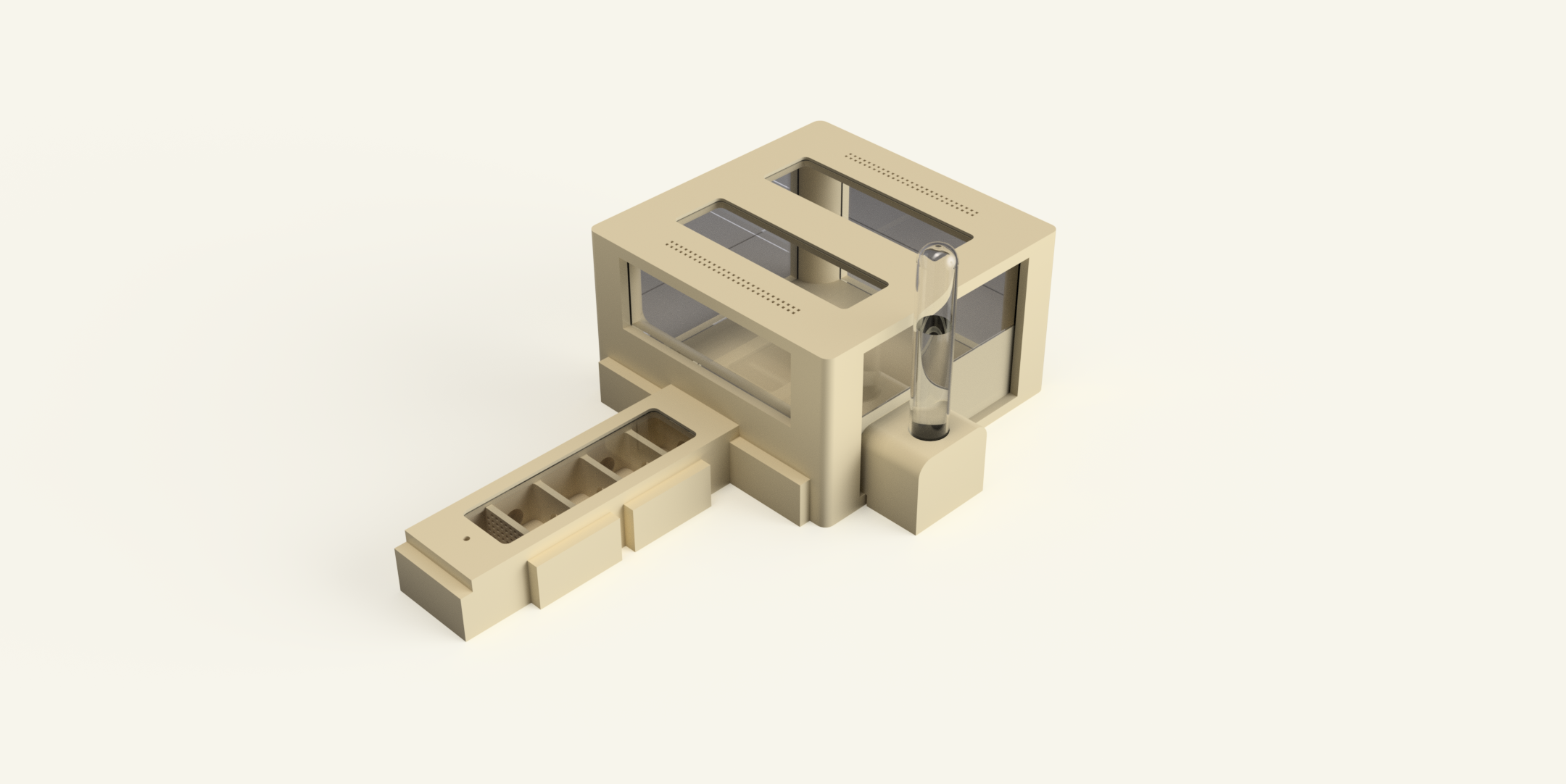
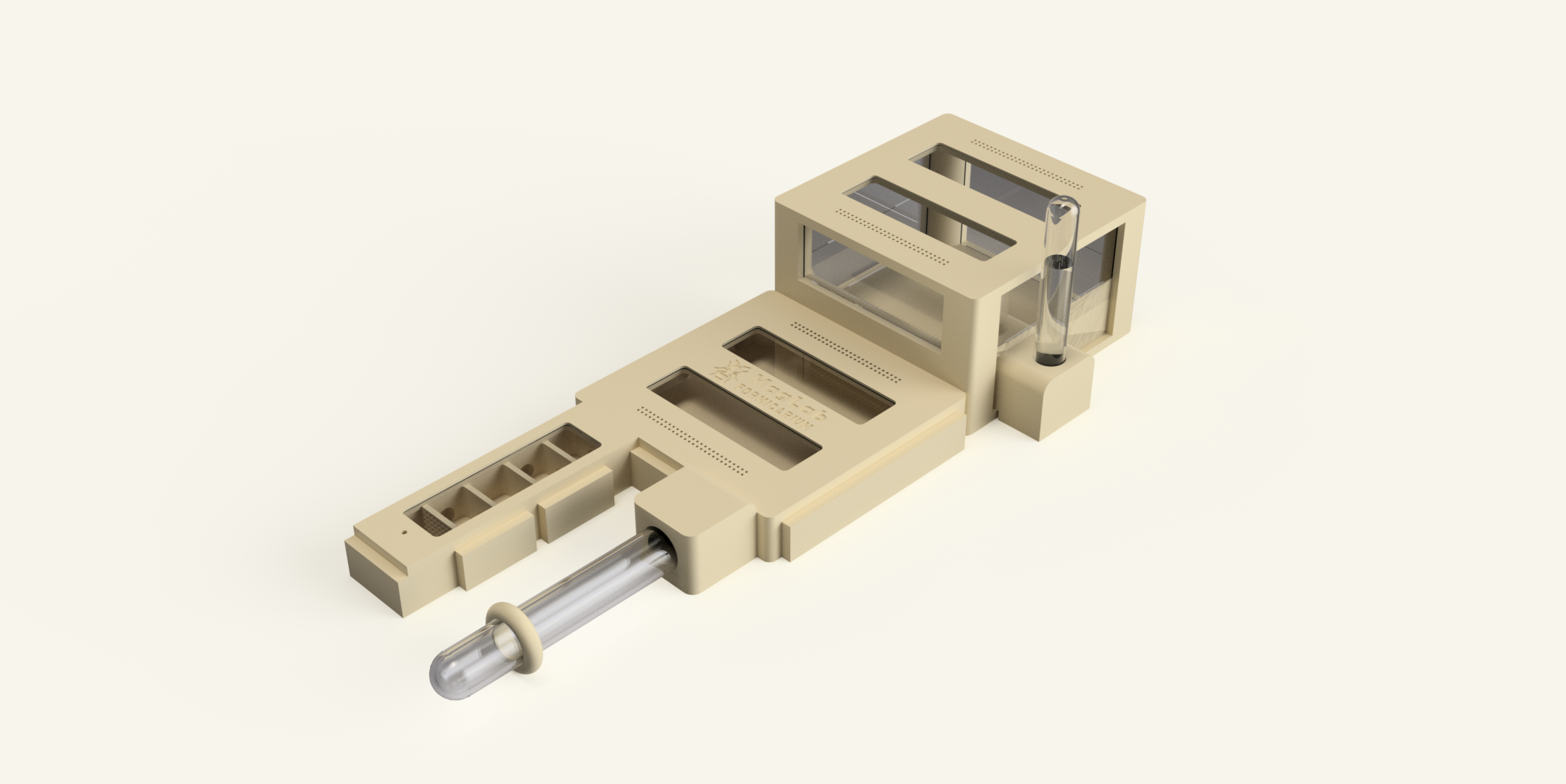
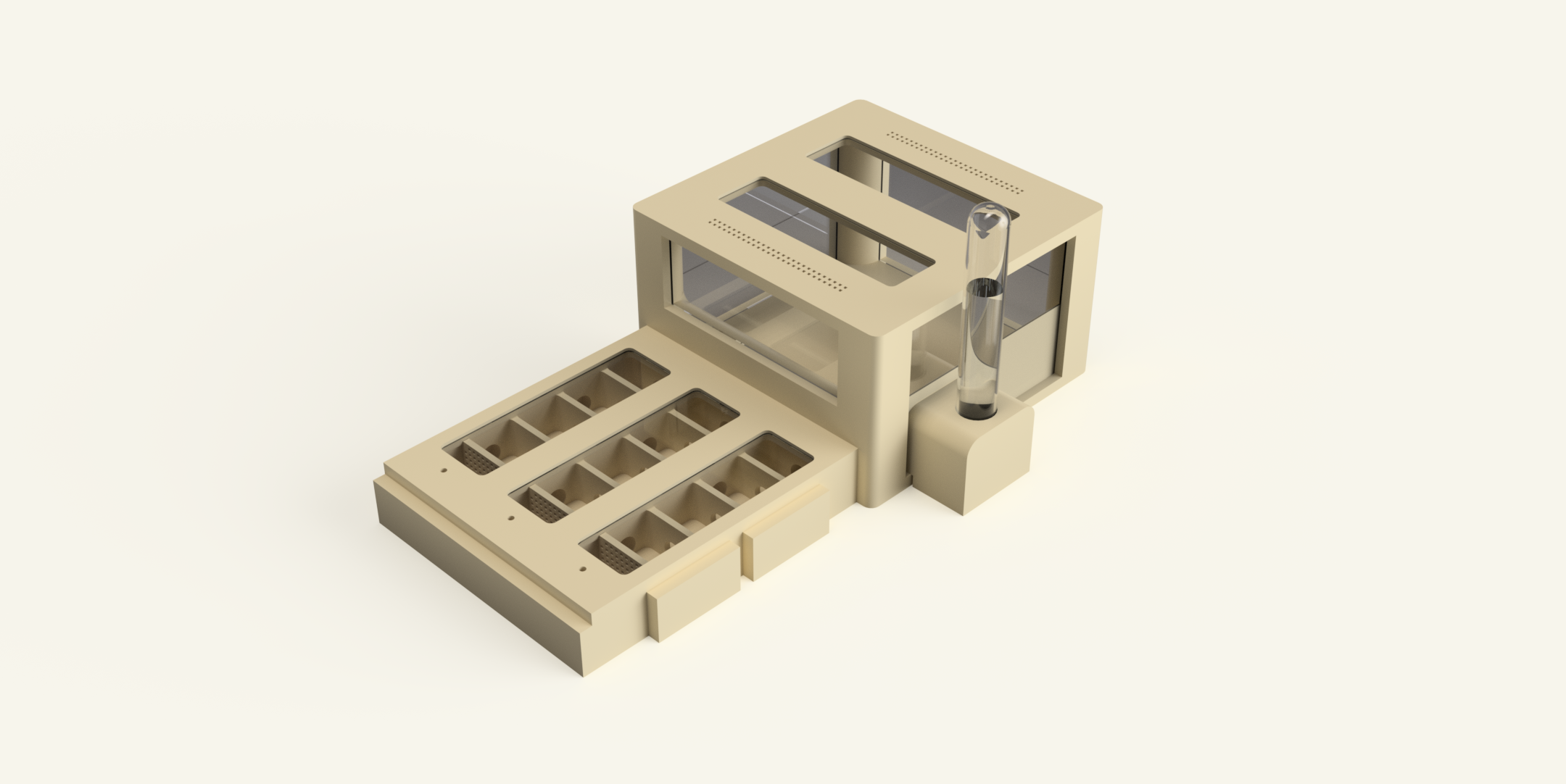
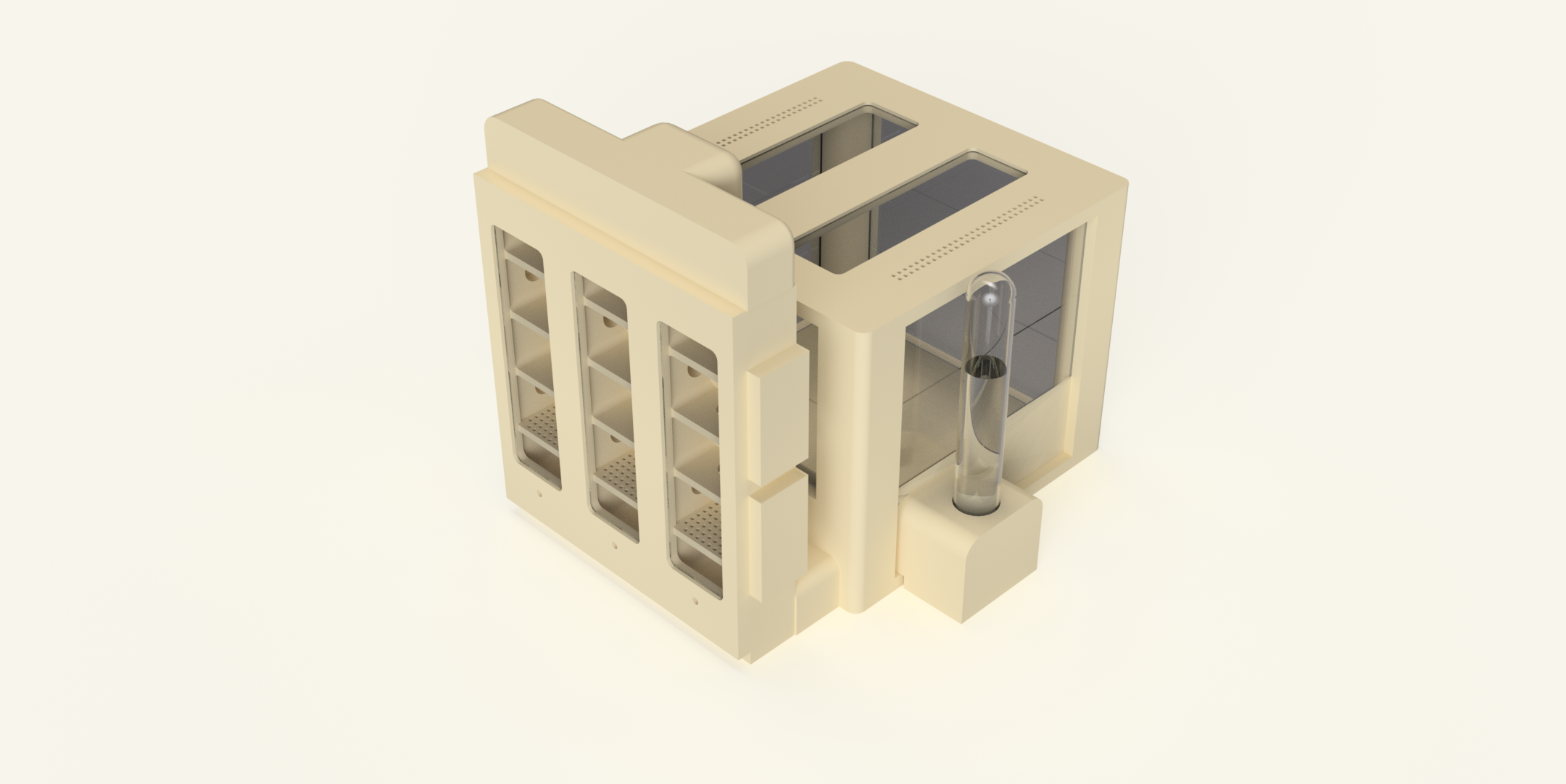
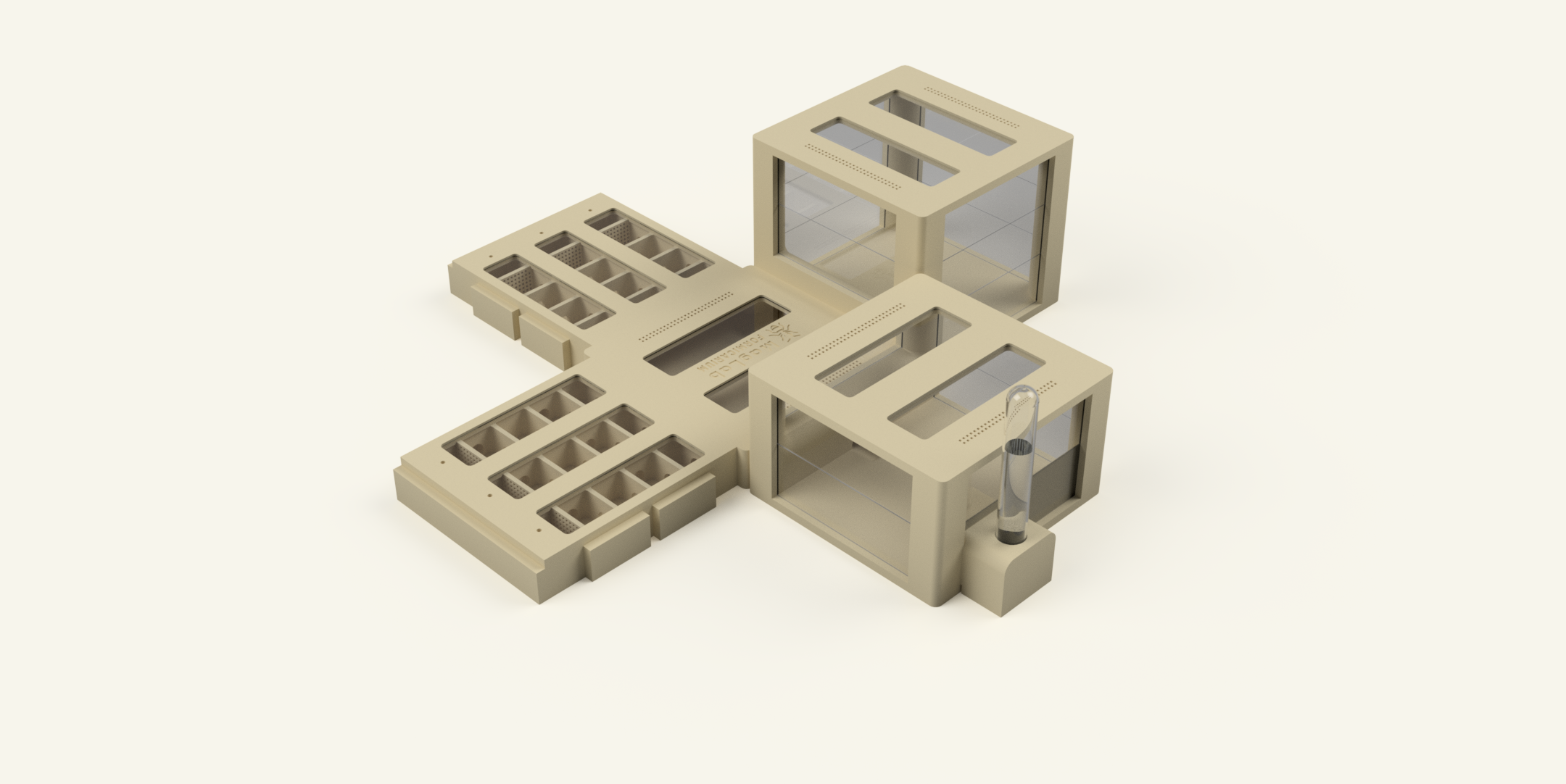
Click on the images to enlarge them
Assemble the formicarium
The assembly of the formicarium is quite simple. The most important thing to check is the polarity of the magnets. Make sure that all magnets are inserted with the correct orientation so they attract each other instead of repelling.
During assembly, make sure that all unused tunnels or connection ports are closed with stoppers. This prevents escape routes and keeps the system properly sealed.
Inside each nest, the rear chamber must be filled with cotton wool. This chamber acts as the water reservoir used to maintain the humidity inside the nest.
To assemble the arena, microscope glass slides are inserted into the vertical guide slots located in the corner pillars of the arena. These slots hold the glass panels that form the walls of the arena.
For the small arena, use two glass slides on each side and one on the back. For the large arena, use three glass slides on each side and two on the back.
If you would like to see the full assembly process step by step, you can also watch the assembly video, which demonstrates the setup in detail and may help clarify the process.
Magnet installation
The system uses magnets to connect the individual modules. To ensure that all parts attract each other correctly, the magnets must be inserted with the correct polarity. For this purpose I designed a small magnet alignment tool which makes the process much easier.
You can download the tool here: https://makerworld.com/de/models/2491263-magnet-pole-checker#profileId-2737610
The tool consists of two parts called A and B. Place two magnets onto tool A and two magnets onto tool B. Then push the magnets from tool A into one printed part and the magnets from tool B into the part that should connect to it. Because the tools control the polarity, the modules will automatically attract each other once installed.
It is recommended to add a small drop of super glue into the magnet holes before inserting the magnets. This helps secure them in place and prevents them from coming loose over time.
For connecting the main modules, 8 mm diameter magnets are used. For attaching the lids, 6 mm magnets are used.
Magnet Positioning
The following table shows one example of how the magnets can be placed using the A and B alignment tools. This layout ensures that all modules connect correctly.
However, this is only a suggested configuration. You can also decide how to place the magnets yourself by using the A and B tools when installing them. As long as the polarity is consistent, the modules will connect properly.
| Part | Placement | Info |
|---|---|---|
| Nest | Left side 4x (A) Right side 4x (B) Back 2x (A) Front 2x (A) (When you use the hub) Front 2x (B) (If you only use the arena without the hub) Top (Lid) 2x (A) | Place the nest in front of you with the entrance facing forward and the cotton chamber (water reservoir) facing backwards. This defines the left and right sides. |
| Arena | 6 x (A) / Top (Lid) 4x (A) | |
| All lids | B | |
| Hub | All sides 6x (B) / Top (Lid) 4x (A) | For the hub, it is recommended to install B magnets on all side connections. This allows all other modules to be easily connected to the hub using A magnets. The only exception is the lid, where A magnets should be used instead. |
| Stopper | A or B | For the stoppers there is no fixed A or B magnet orientation. The correct polarity depends on which connection or tunnel you want to close. Simply choose the magnet orientation that matches the module you are sealing so the stopper attaches properly. |
Keep the nests moist
Coming Soon
Vertical Nest Adapter
The nest consists of three modular nest modules that are magnetically connected to form a single block. Once these modules are printed and assembled, the nest can easily be converted into a vertical configuration.
To do this, simply print the Vertical Nest Adapter and attach it to the existing nest modules. There is no need to reprint the nests or create a separate vertical version. The adapter allows the already printed nest block to be mounted in a vertical position.
After attaching the adapter, the vertical nest can be connected directly to the hub or the arena, just like in the horizontal configuration.
If you would like to see how this works in practice, please refer to the video below, where the installation process is demonstrated.
//Video coming soon. //
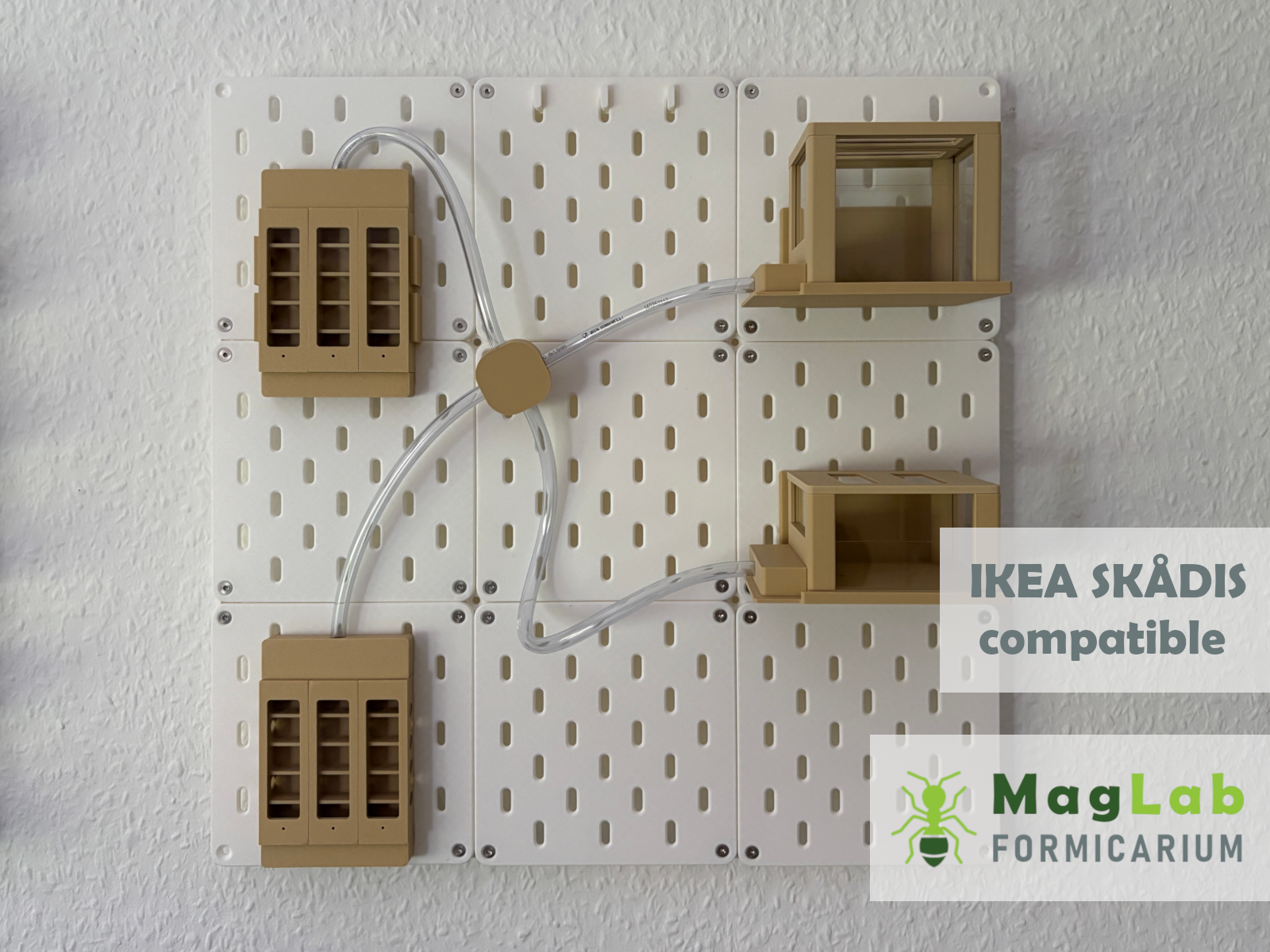
IKEA SKÅDIS Integration
The IKEA SKÅDIS system is a pegboard mounting system that allows tools, accessories and custom components to be mounted on a wall.
MagLab can be used with the SKÅDIS system by using dedicated adapters and mounting parts. These adapters allow existing MagLab modules to be attached to a SKÅDIS board without modifying or reprinting the modules.
The magnetic modularity of the MagLab system remains unchanged. Nest modules can still be connected directly to each other using the magnetic interface. In many setups, three nest modules can be combined without the need for tubing between them.
Due to dimensional constraints and tolerances, some components require tubing connections. The Arena and the MagLab HUB must therefore be connected using flexible tubing rather than the magnetic interface.
MagLab uses 8 mm tubing for these connections, while nest modules can continue to connect directly via magnets.
The following table lists all SKÅDIS-compatible printed parts, including their purpose and assembly position.
| Part | Description | STL File | Support |
|---|---|---|---|
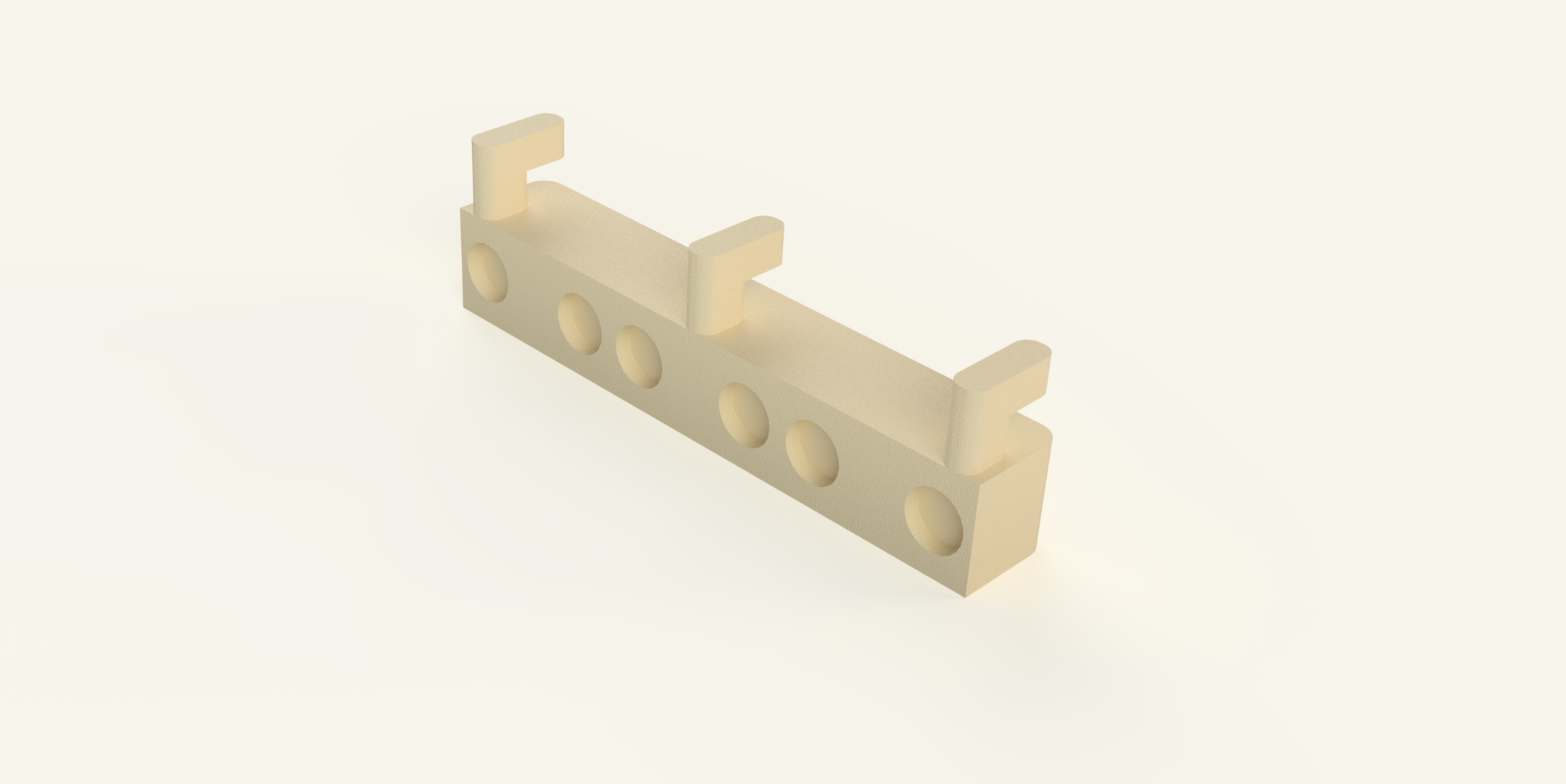 | To mount the nest to the IKEA SKÅDIS system, two printed parts are required: Nest to SKÅDIS Top and Nest to SKÅDIS Bottom. First, take the Nest to SKÅDIS Bottom part. This part is simply hooked into the IKEA SKÅDIS board. After that, the nest module can be placed directly onto it. | Nest to Skadis Bottom.stl | Yes |
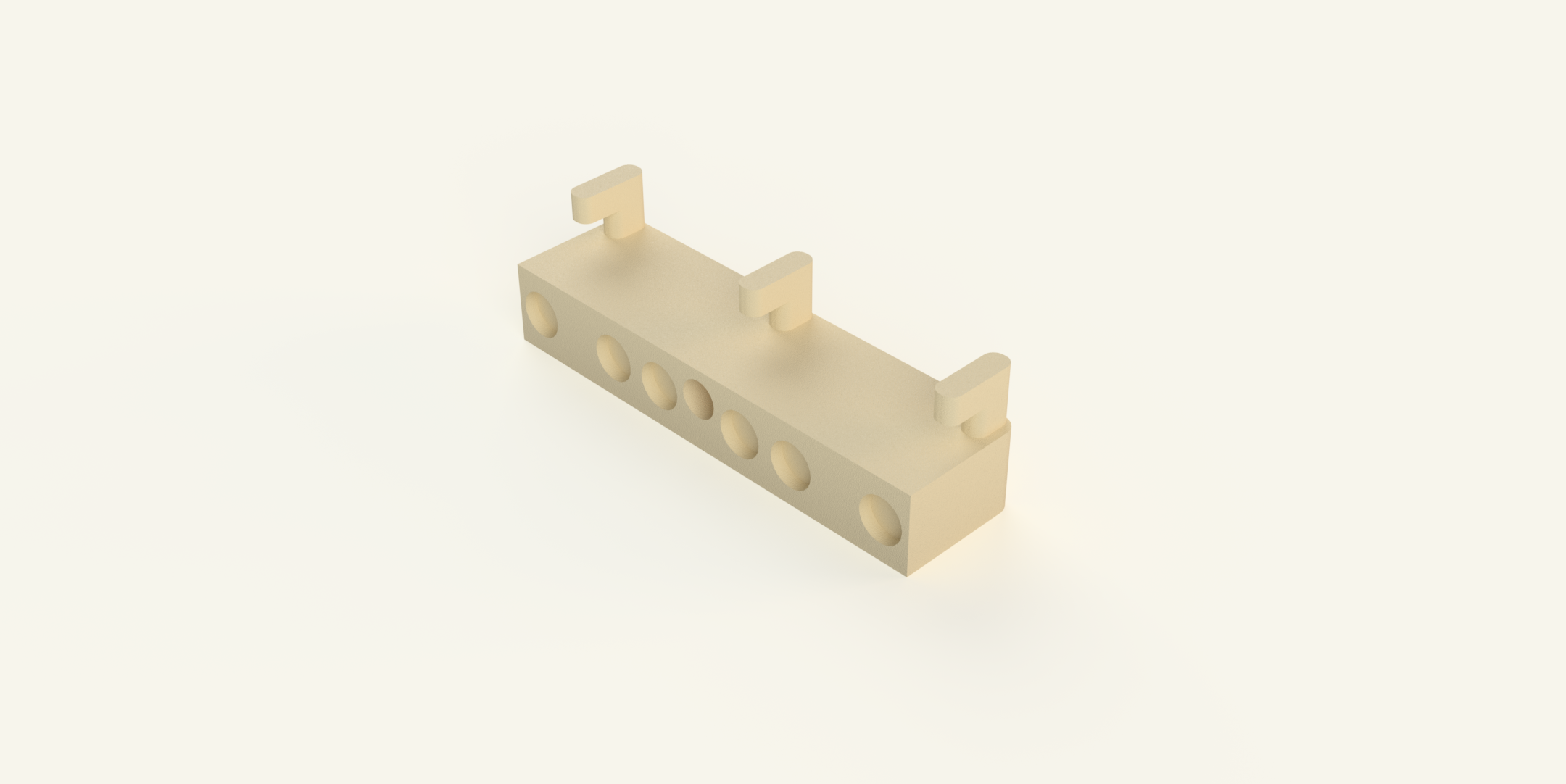 | After the nest has been mounted on the Nest to SKÅDIS Bottom part, the Nest to SKÅDIS Top piece is hooked into the IKEA SKÅDIS board above the nest. It is then slid down onto the nest, where it magnetically connects to the module and secures it in place. | Nest to Skadis Top.stl | No |
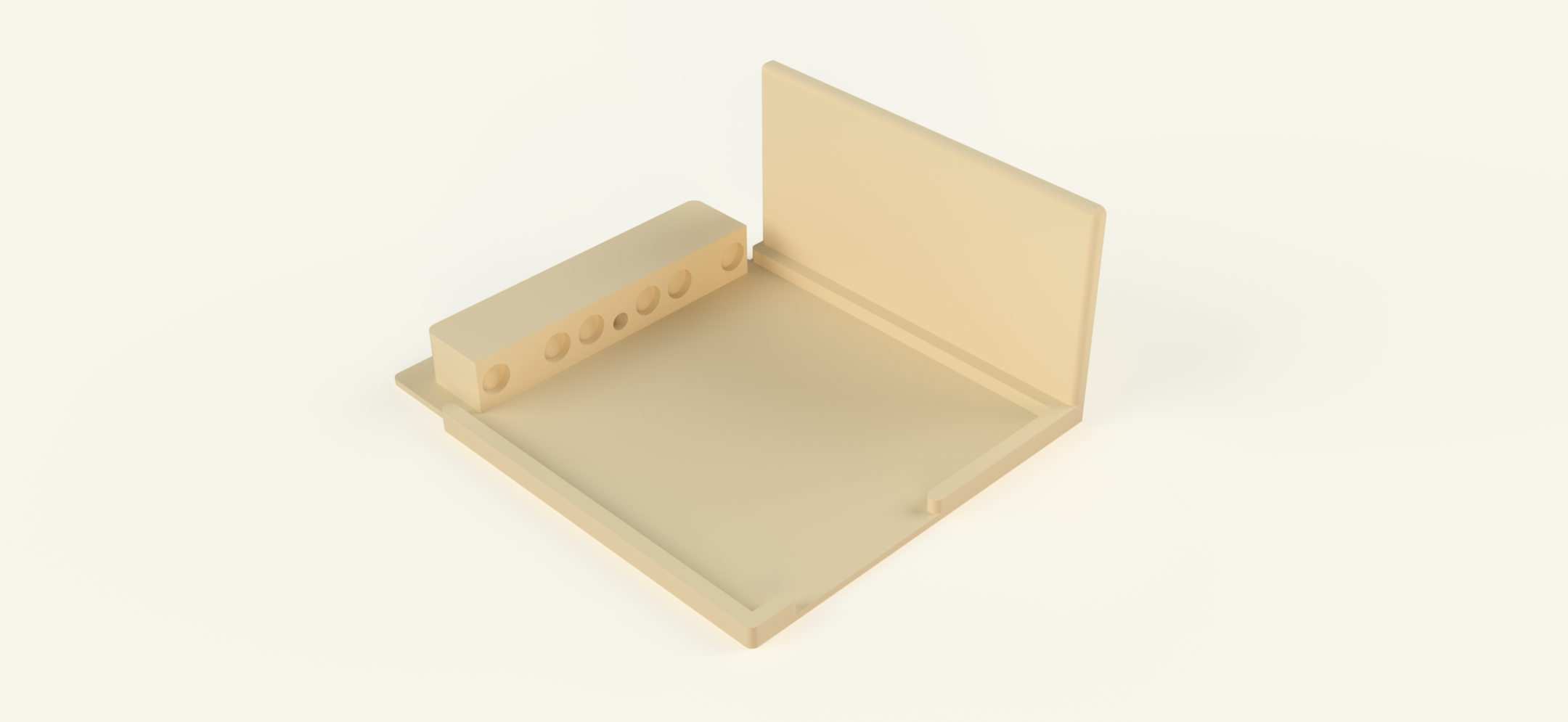 | The Arena SKÅDIS module allows the arena to be mounted directly to the SKÅDIS wall system. | Arena to Skadis.stl | Yes |
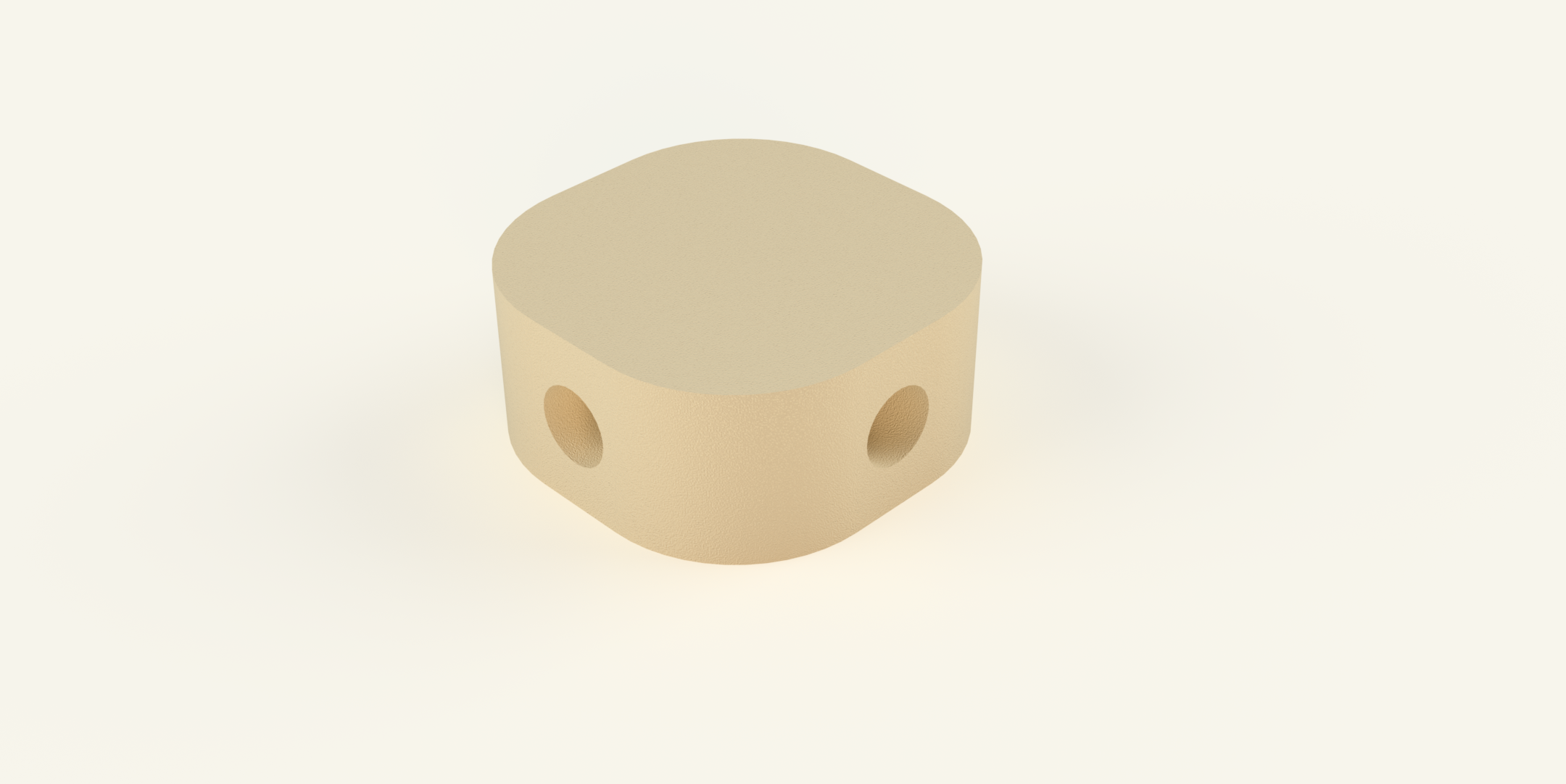 | The SKÅDIS Tube Connector is used to combine multiple tubing connections on a SKÅDIS wall setup. It acts as a small hub where several tubes can meet and be redistributed. The connector has four sides, each providing a tubing port. This allows up to four tubes to be connected to a single unit. By combining multiple connectors, the tubing network can be expanded across the entire SKÅDIS wall, allowing the system to be expanded indefinitely. | Skadis Tube Connector.stl | No |
| Assembly video | Example setup |
|---|---|
 |
Frequently Asked Questions
Are there any more parts coming for the project?
Yes, definitely. The project is far from finished. The goal is to create the largest project in this category that you can find on Makerworld. So stay tuned!
Is the project compatible with other ant formicaria?
Lab Ants: https://makerworld.com/de/models/1507786-lab-ants-a-modular-ant-formicarium?from=search#profileId-1578177
Do you have your own ant system and would like to connect it to the MagLab Formicarium? Feel free to contact me contact@noctyros.de.Together we can create an adapter so that our systems become compatible.
Can the nest be darkened?
Yes. The nest can be darkened using a Nest Cover. This is a printable cover that is simply placed on top of the nest and held in position with magnets. For more information and a demonstration video, please refer to the Parts List under Nest Cover.
Can I donate to support the project?
No. I do not accept donations, as I want to make my work freely available to everyone. However, if you would still like to support the project, I would really appreciate a Boost on MakerWorld. It is completely free for you, and I receive points through it that can be redeemed for filament. That would be more than enough support, and I would be very grateful.